Actualización de producto noviembre 2025: Una experiencia PeerSubmit más rápida e inteligente

Paige Watson
Published on 25 de noviembre de 2025November was a big month for PeerSubmit. We rolled out powerful updates designed to make submission management, peer review, and communication even smoother for conference organizers, reviewers, and academic committees.
From a refreshed interface to better workflow visibility and more control over communication, these updates focus on one goal: helping you manage academic events with less effort and more confidence.
1. A Fresh New Design for Better Usability
We’ve introduced a new design across PeerSubmit to improve clarity, speed, and ease of use.
- Cleaner layouts with improved readability
- Simplified navigation for faster access
- Consistent experience across devices
The updated design helps users focus on what matters—submissions, reviews, and decisions—without visual clutter. Whether you’re an organizer managing hundreds of abstracts or a reviewer completing evaluations, everything feels more intuitive.
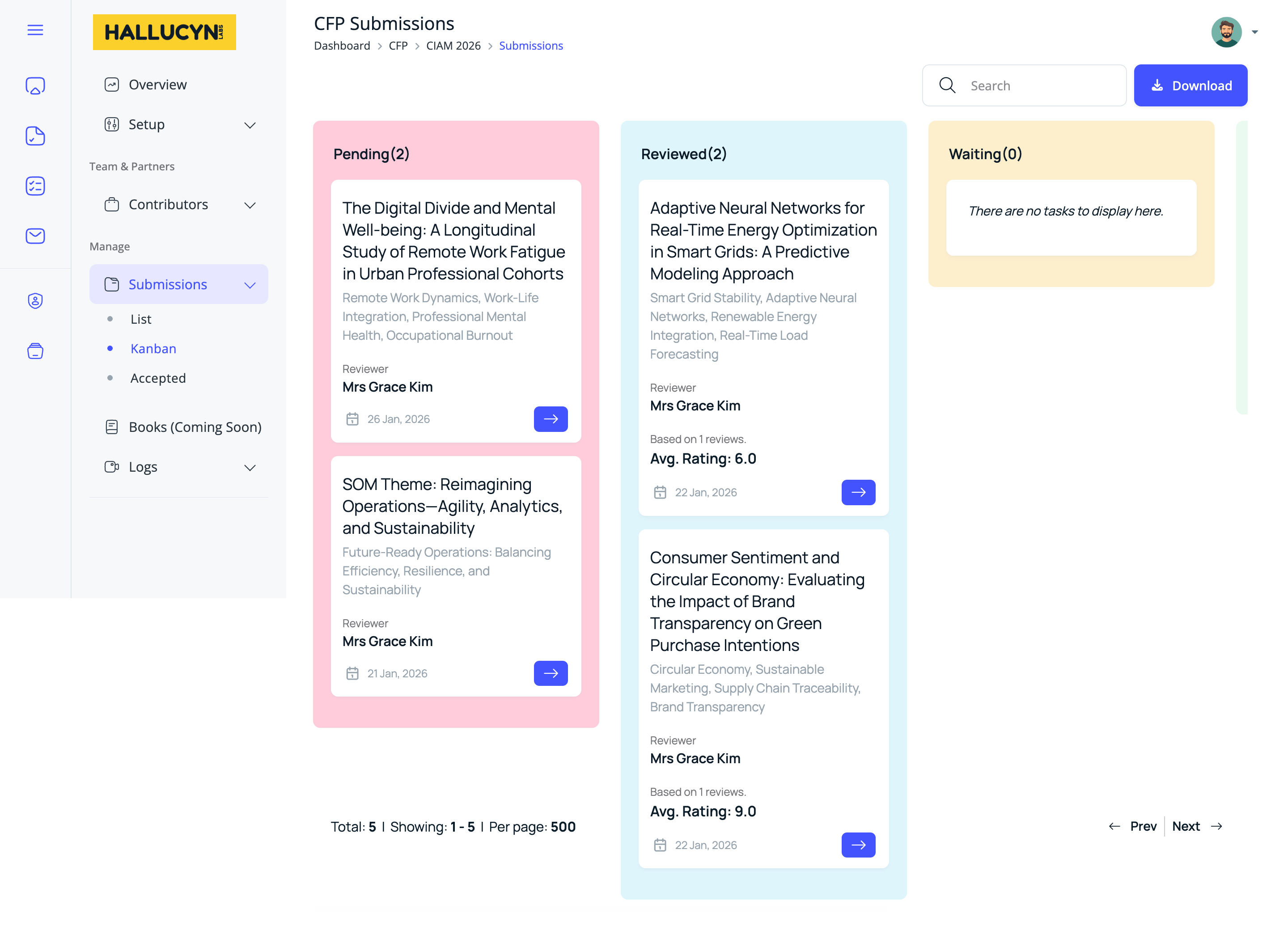
2. New Kanban View for Admins, Reviewers, and Chairs
One of the most requested features is here: a Kanban-style workflow view.
- Visual status tracking for submissions
- Clear separation of workflow stages
- Role-based views for admins, reviewers, and chairs
With the new Kanban view, users can instantly see where each submission stands—submitted, under review, revision requested, or accepted. This reduces guesswork, improves coordination, and makes it easier to spot bottlenecks before they become problems.
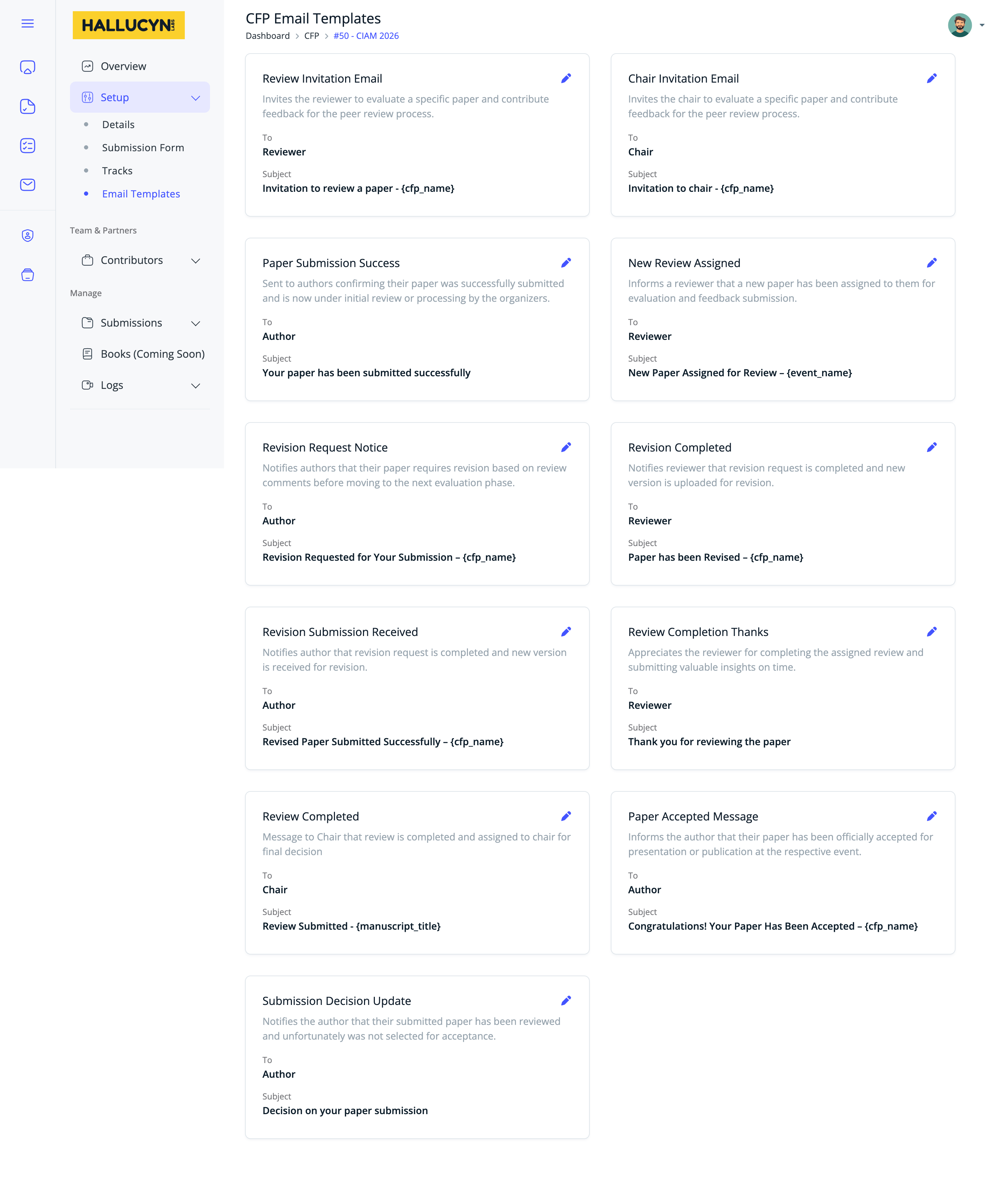
3. Custom Email Templates for Better Communication
Communication plays a critical role in the success of any academic event. Our new custom email templates give organizers full control over messaging.
- Create and edit reusable email templates
- Maintain consistent tone and branding
- Reduce repetitive manual emails
From submission confirmations to acceptance notifications and reviewer reminders, organizers can now tailor messages to their audience while ensuring timely, professional communication throughout the conference lifecycle.
Why These Updates Matter
These improvements are more than cosmetic. Together, they reduce administrative friction, improve visibility into workflows, and strengthen communication across all roles involved in academic conferences.
By combining better design, clearer workflow tracking, and flexible communication tools, PeerSubmit helps teams spend less time managing logistics and more time focusing on research quality and academic collaboration.
What’s Next
We’re continuing to invest in features that make academic event management simpler, smarter, and more scalable. Your feedback drives our roadmap, and more enhancements are already in progress.
Thank you for using PeerSubmit—and stay tuned for more updates as we continue building the future of academic submission and peer review.
Comience a Gestionar su Conferencia: Desde el Envío hasta la Decisión
Únase a cientos de organizadores que confían en PeerSubmit para gestionar sus eventos académicos con eficiencia impulsada por IA y flujos de trabajo fluidos.
Sin tarjeta de crédito • Configuración en minutos
Funciones de Producto FAQs
Organice su Conferencia Sin Caos
Gestione envíos, revisión por pares, registros y flujos de trabajo—todo en una sola plataforma diseñada para eventos académicos.
Únase a cientos de conferencias académicas que ya utilizan PeerSubmitSin tarjeta de crédito • Configuración en minutos