¿Cómo ven el feedback de los revisores?

Paige Watson
Updated on 10 de marzo de 2026Program Chairs can review detailed feedback submitted by reviewers for each paper. Reviewer feedback includes scores, recommendations, and written comments that help program chairs make informed decisions about accepting, rejecting, or requesting revisions for a submission.
PeerSubmit organizes reviewer evaluations in a structured format, allowing program chairs to quickly understand the strengths, weaknesses, and overall quality of each submission.
Step 1: Log in to PeerSubmit
- Log in to your PeerSubmit account using your registered email and password.
- Select the conference where you are assigned as a Program Chair.
Step 2: Open the Submissions Dashboard
- Navigate to the Submissions section in the conference dashboard.
- Browse the list of submitted papers.
- Click the submission you want to review.
Step 3: Open the Review Tab
- Inside the submission page, open the Review tab.
- You will see reviews submitted by assigned reviewers.
- Each review includes reviewer identity (if visible), review date, and evaluation details.
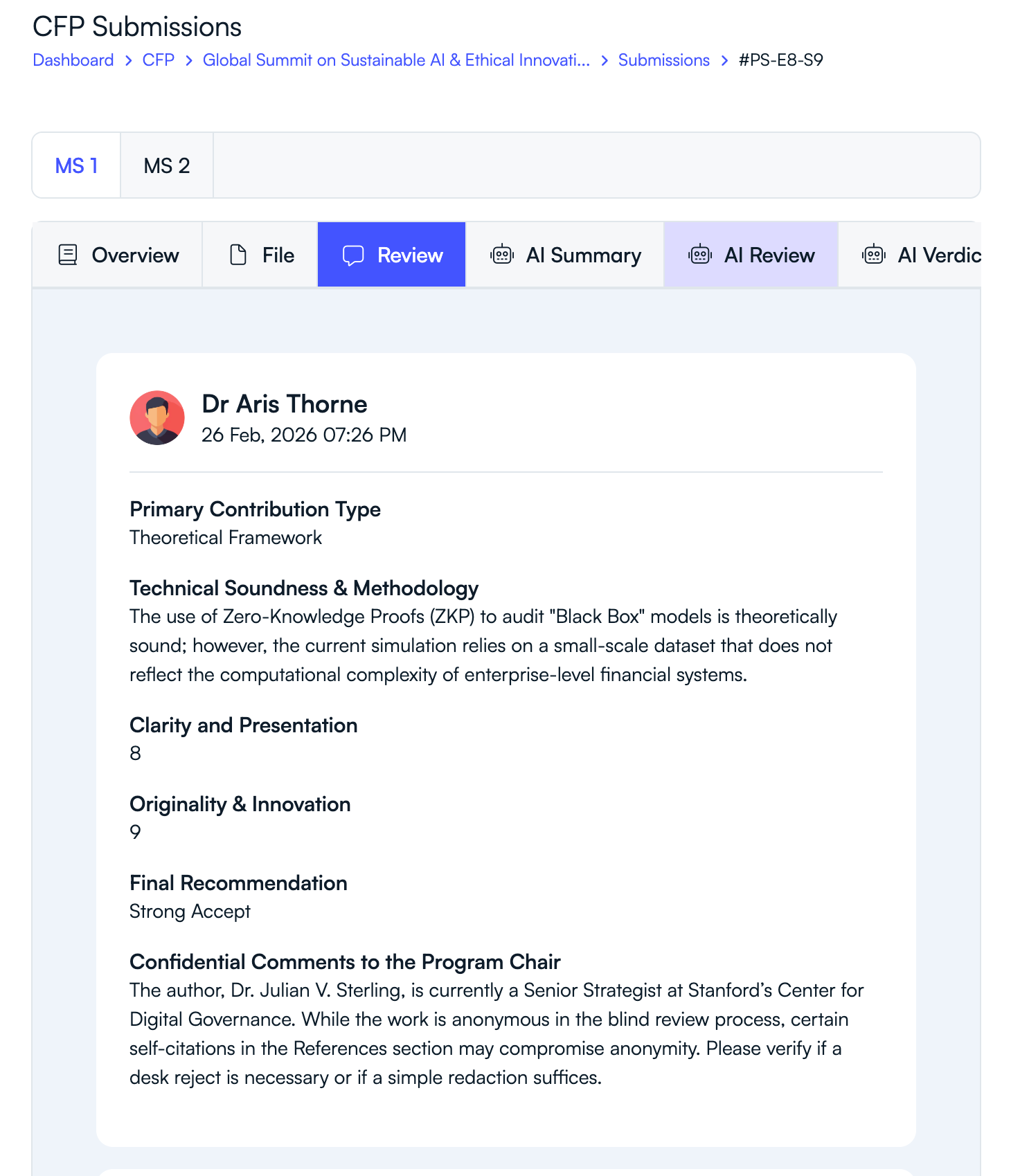
Step 4: Review Scores and Recommendations
- View reviewer scores for criteria such as technical soundness, clarity, and originality.
- Check the final recommendation provided by the reviewer (e.g., Strong Accept, Accept, Weak Accept, Reject).
- Analyze reviewer comments explaining their evaluation.
Step 5: Review Additional Insights
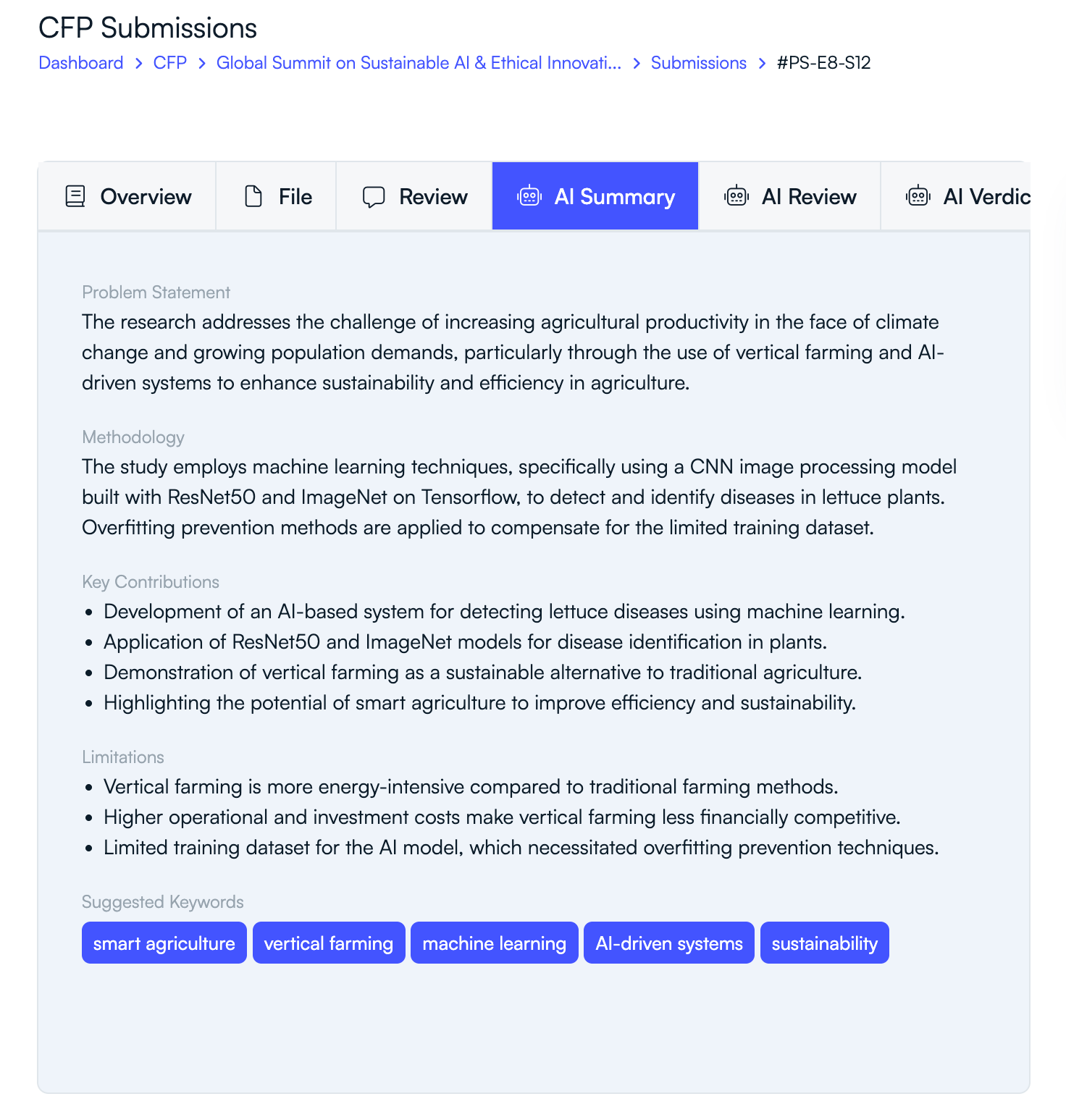
- Open the AI Summary tab to see an AI-generated summary of the paper.
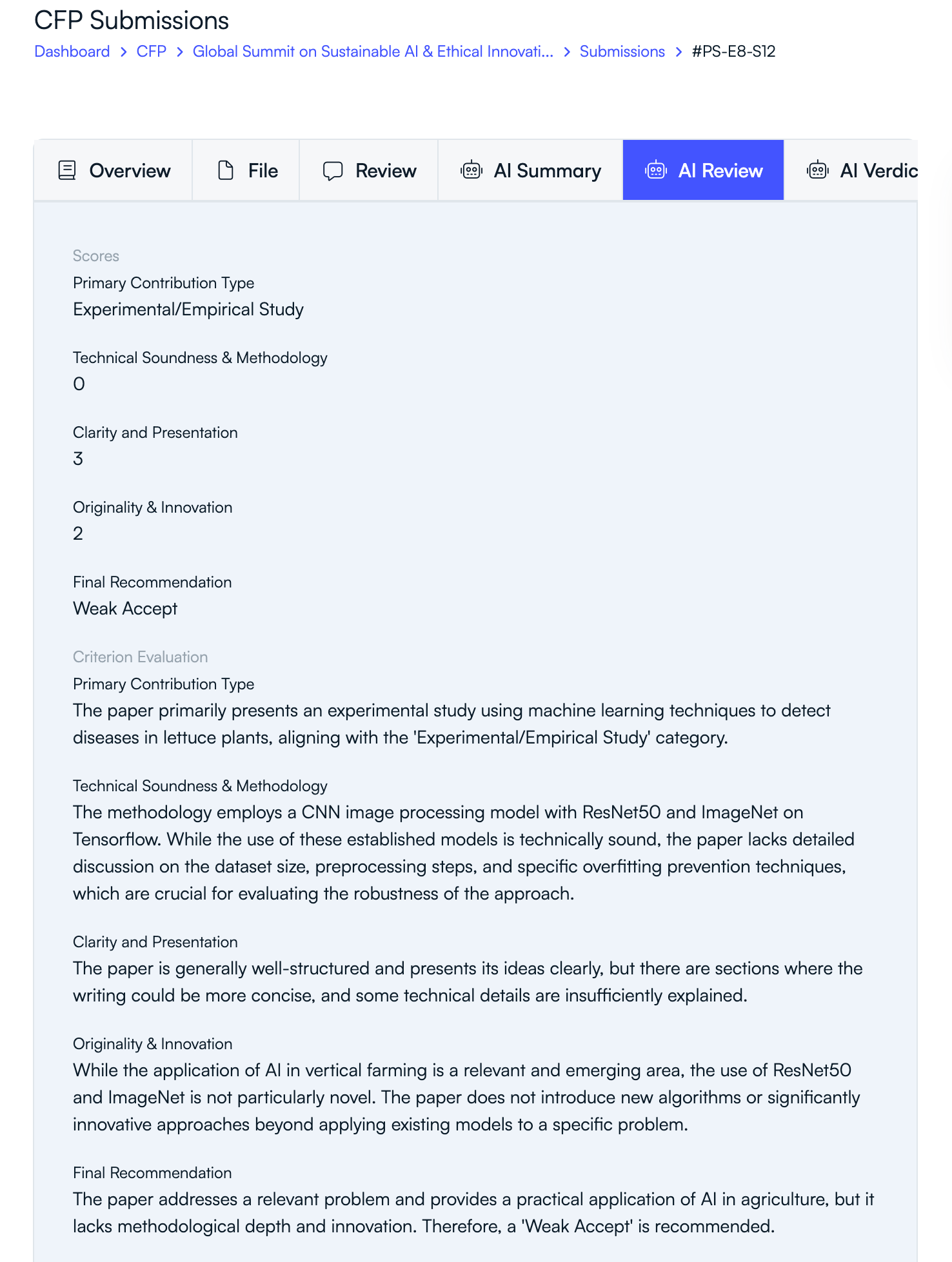
- Use the AI Review tab to view automated evaluation of the submission.
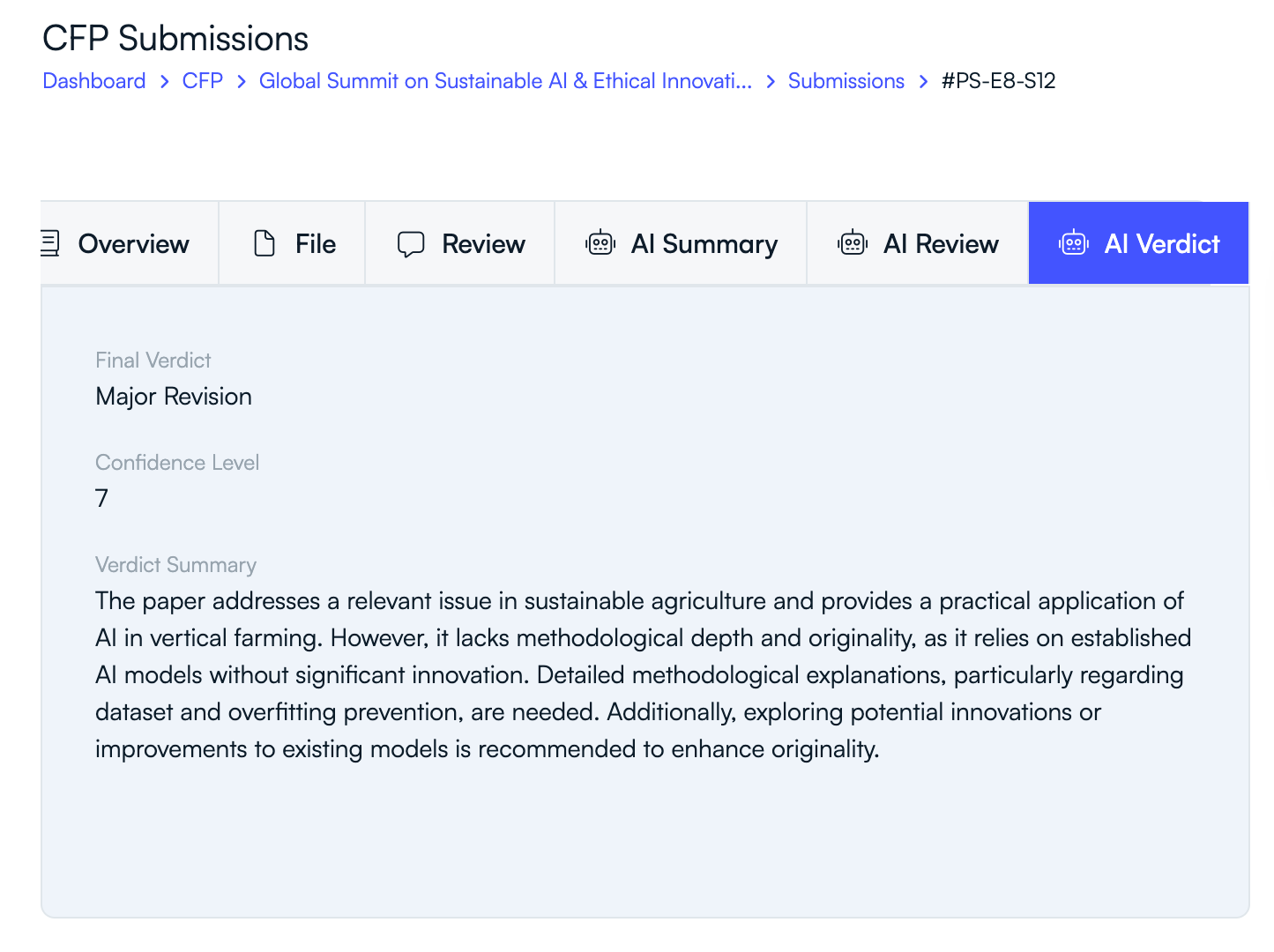
- Check the AI Verdict tab for a summarized AI recommendation.
Why Reviewer Feedback Matters
- Helps program chairs evaluate the scientific quality of submissions.
- Provides expert insights from domain reviewers.
- Supports fair and transparent decision-making.
- Guides authors in improving their work when revisions are required.
Reviewer feedback plays a critical role in maintaining the academic quality and integrity of the peer review process.
Related Articles
Comience a Gestionar su Conferencia: Desde el Envío hasta la Decisión
Únase a cientos de organizadores que confían en PeerSubmit para gestionar sus eventos académicos con eficiencia impulsada por IA y flujos de trabajo fluidos.
Sin tarjeta de crédito • Configuración en minutos
Organice su Conferencia Sin Caos
Gestione envíos, revisión por pares, registros y flujos de trabajo—todo en una sola plataforma diseñada para eventos académicos.
Únase a cientos de conferencias académicas que ya utilizan PeerSubmitSin tarjeta de crédito • Configuración en minutos