¿Cómo envían correcciones cuando se solicita una revisión?

Paige Watson
Updated on 10 de marzo de 2026If the Program Chair or reviewers request revisions to your paper, you can upload a revised version directly from your submission page in PeerSubmit. The system allows authors to update their manuscript and provide a summary explaining the changes made based on reviewer feedback.
Submitting a revised manuscript helps the review committee evaluate whether the requested improvements have been addressed before making a final decision.
Step 1: Log in to Your PeerSubmit Account
- Log in to your PeerSubmit account.
- Open the My Submissions section from the dashboard.
- Select the submission that has the status Revision Requested.
Step 2: Open the Submission Details Page
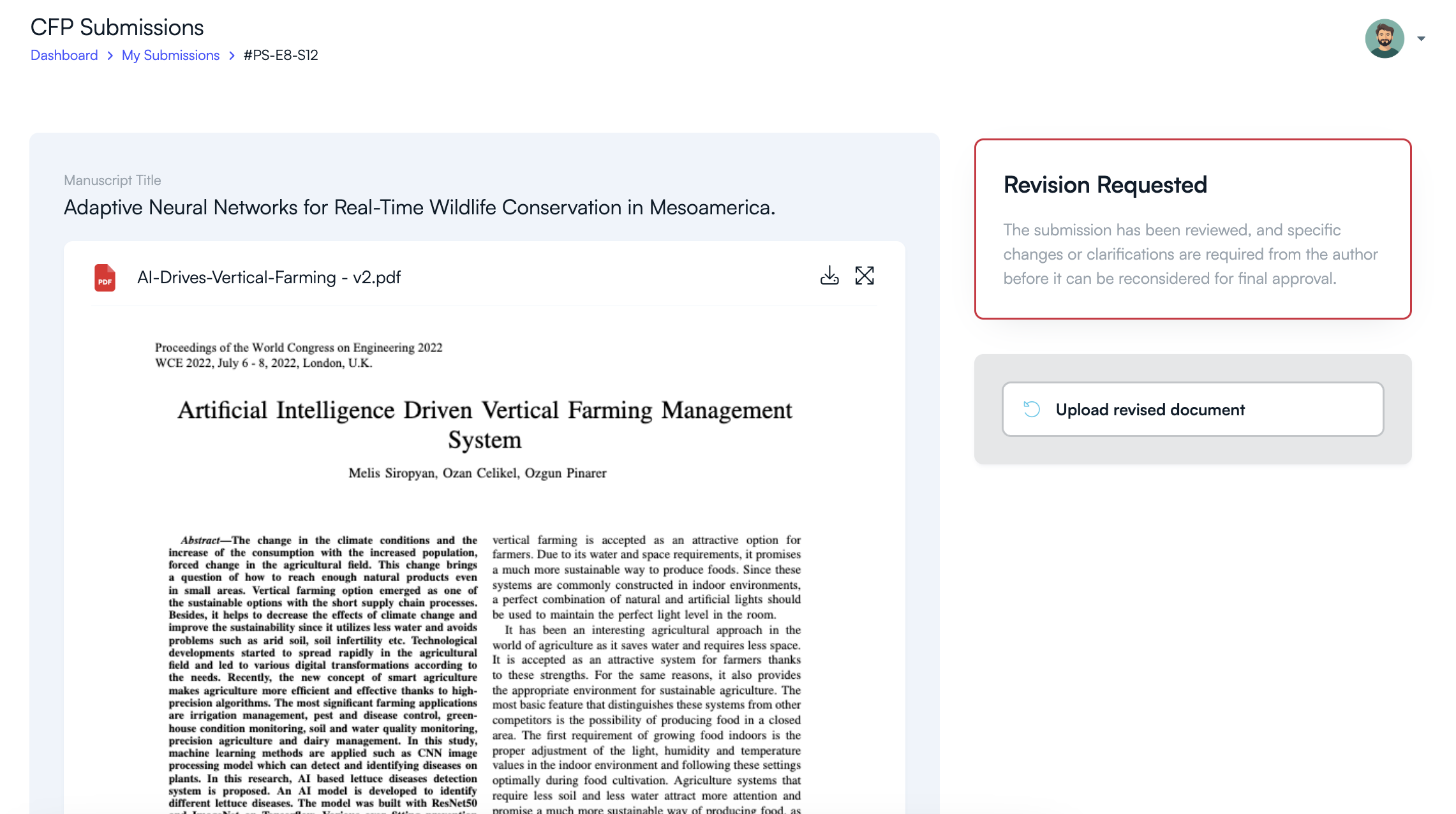
- Click View Details on your submission.
- The submission page will display the manuscript, author information, and review status.
- If revisions are requested, you will see the Revision Requested notice.
Step 3: Upload the Revised Manuscript
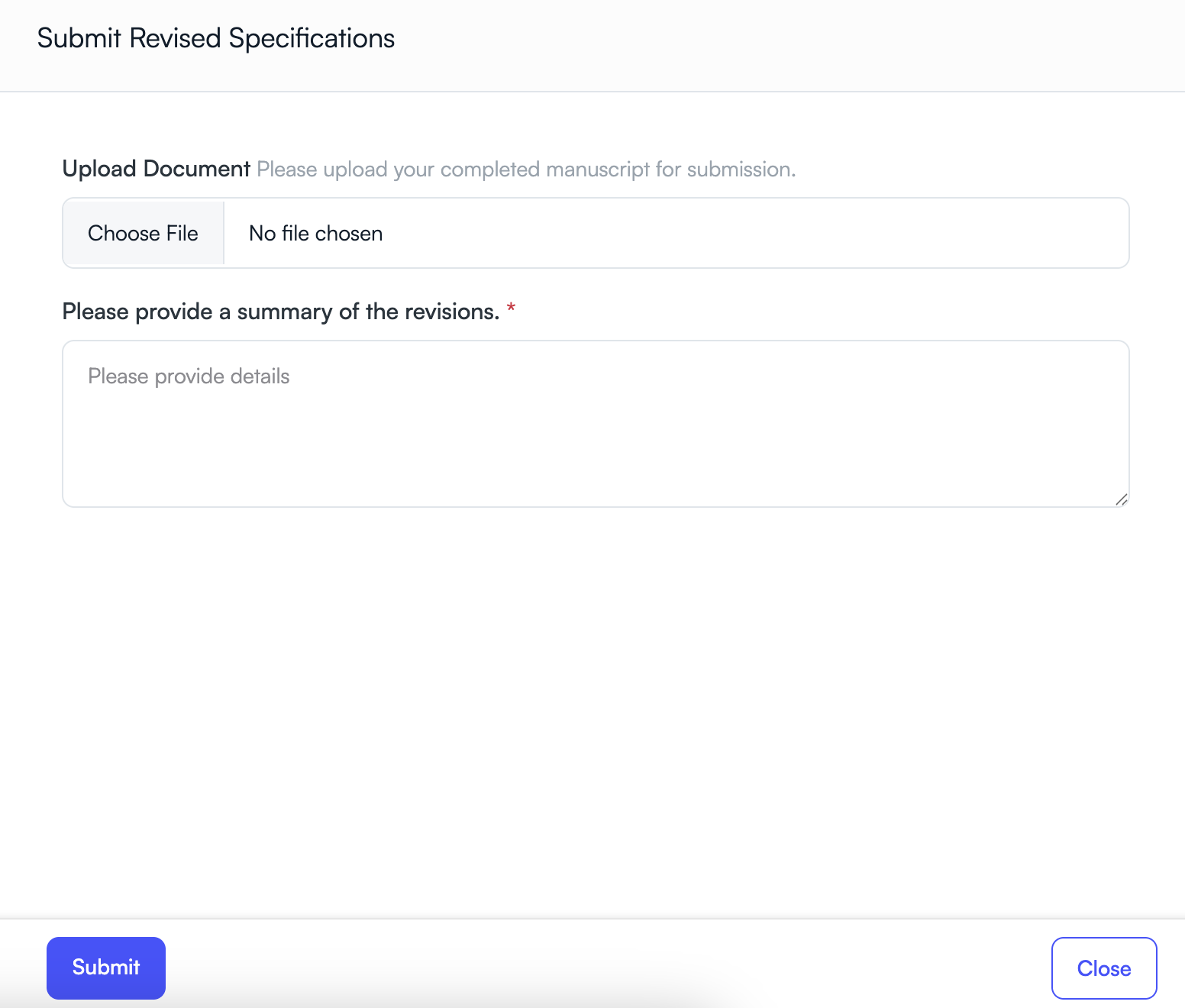
- Click the Upload Revised Document button.
- Choose the updated manuscript file from your computer.
- Ensure the revised version addresses all reviewer comments and suggestions.
Step 4: Provide a Summary of Revisions
- Add a short explanation describing the changes made in the revised manuscript.
- Mention key improvements, corrections, or clarifications requested by reviewers.
- This summary helps reviewers quickly understand the updates.
Step 5: Submit the Revised Version
- Click the Submit button to upload the revised manuscript.
- The updated file will be saved and shared with the review committee.
- The submission will return to the review process for further evaluation.
Tips for Successful Revision
- Carefully review all comments provided by reviewers or the Program Chair.
- Highlight major changes or improvements in your revision summary.
- Ensure the updated manuscript follows the conference formatting guidelines.
- Submit the revised manuscript before the revision deadline.
Once submitted, the revised manuscript will be reviewed again by the program committee, who will decide whether the paper meets the conference requirements for acceptance.
Related Articles
Comience a Gestionar su Conferencia: Desde el Envío hasta la Decisión
Únase a cientos de organizadores que confían en PeerSubmit para gestionar sus eventos académicos con eficiencia impulsada por IA y flujos de trabajo fluidos.
Sin tarjeta de crédito • Configuración en minutos
Organice su Conferencia Sin Caos
Gestione envíos, revisión por pares, registros y flujos de trabajo—todo en una sola plataforma diseñada para eventos académicos.
Únase a cientos de conferencias académicas que ya utilizan PeerSubmitSin tarjeta de crédito • Configuración en minutos