¿Cómo rastrear el estado del envío?

Paige Watson
Updated on 10 de marzo de 2026After submitting a paper, authors can track the progress of their submission directly from their PeerSubmit account. The submission dashboard allows authors to monitor the review stage, view submission details, and stay updated on important deadlines or decisions.
This helps authors understand whether their paper is under review, requires revision, or has received a final decision from the conference organizers.
Step 1: Log in to Your PeerSubmit Account
- Log in to your PeerSubmit account using the email used during submission.
- After logging in, open the My Submissions section from the dashboard.
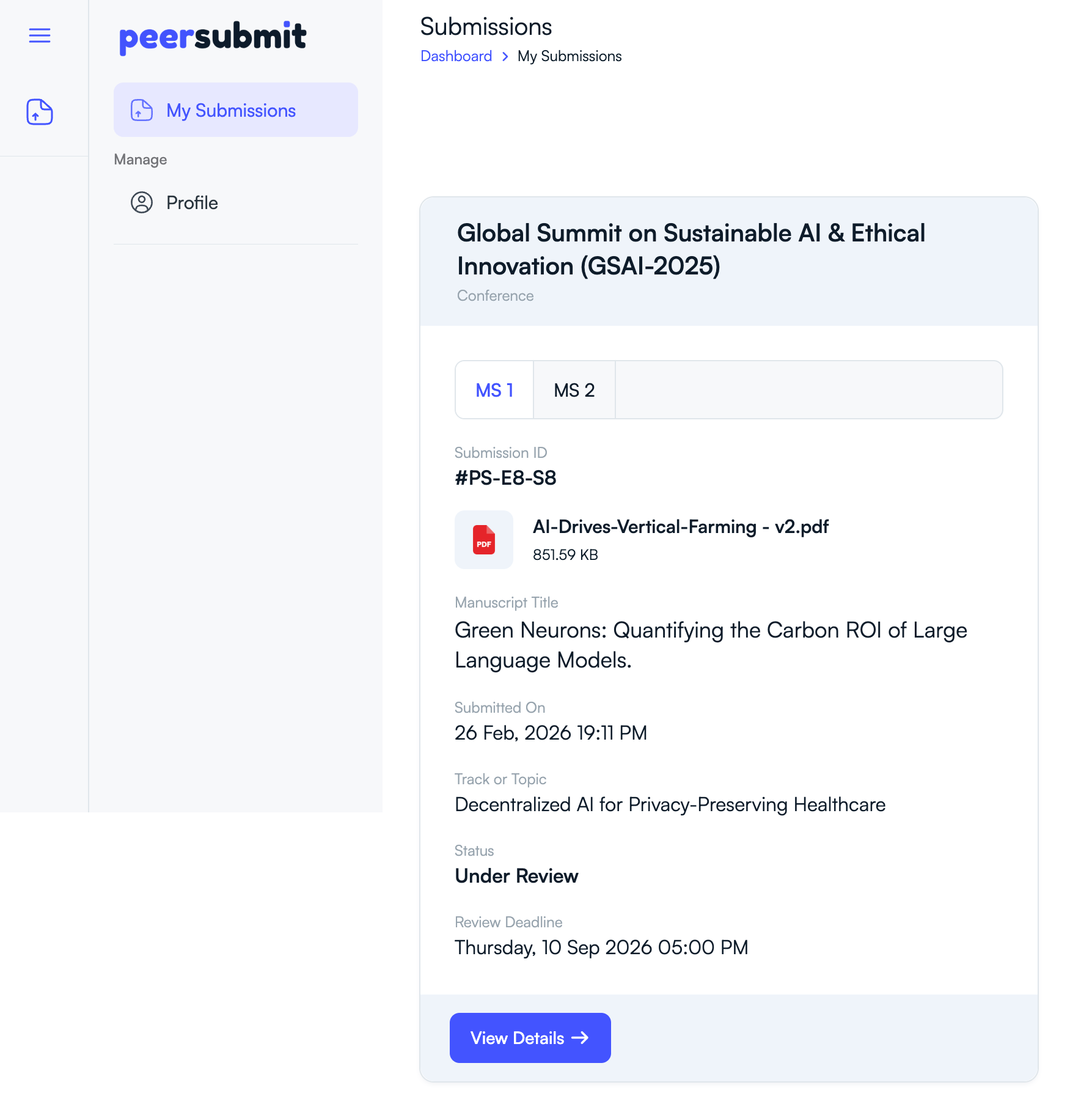
Step 2: View Your Submission List
- The My Submissions page shows all papers you have submitted.
- Each submission card displays basic information such as:
- Submission ID
- Manuscript title
- Submission date
- Track or topic
- Current status
Step 3: Check the Submission Status
The status section shows the current stage of the review process.
- Submitted – The paper has been successfully submitted.
- Under Review – Reviewers are currently evaluating the paper.
- Revision Requested – Authors may need to upload a revised manuscript.
- Accepted / Rejected – The final decision has been made.
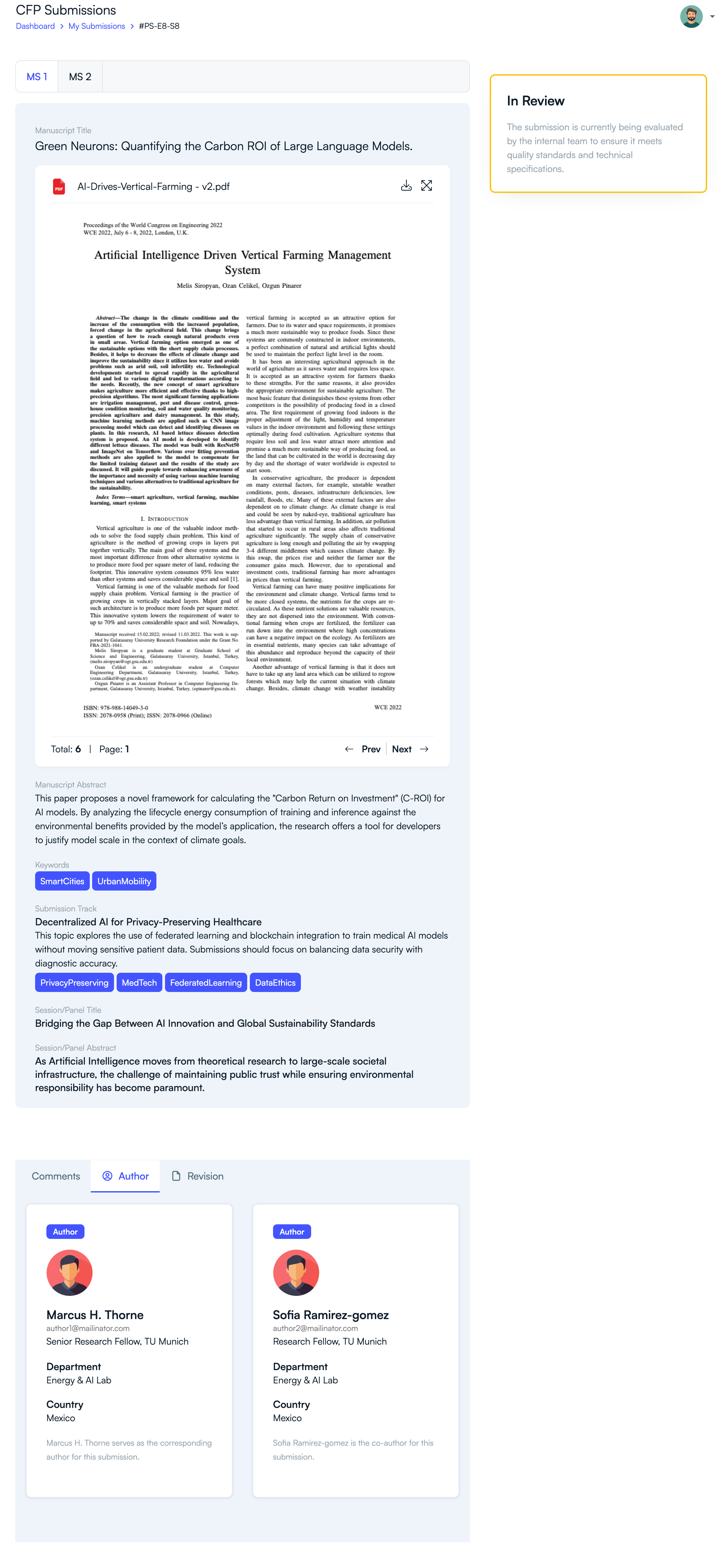
Step 4: View Detailed Submission Information
- Click View Details on the submission card.
- You can view the manuscript file, abstract, keywords, and author information.
- Additional details such as review comments or revision requests may also appear here.
Why Tracking Submission Status Is Important
- Stay updated on the review progress of your paper.
- Respond quickly if revisions are requested.
- Monitor important deadlines related to the review process.
- Access final decisions from conference organizers.
By regularly checking the My Submissions section, authors can easily stay informed about the progress and outcome of their conference submissions.
Related Articles
Comience a Gestionar su Conferencia: Desde el Envío hasta la Decisión
Únase a cientos de organizadores que confían en PeerSubmit para gestionar sus eventos académicos con eficiencia impulsada por IA y flujos de trabajo fluidos.
Sin tarjeta de crédito • Configuración en minutos
Organice su Conferencia Sin Caos
Gestione envíos, revisión por pares, registros y flujos de trabajo—todo en una sola plataforma diseñada para eventos académicos.
Únase a cientos de conferencias académicas que ya utilizan PeerSubmitSin tarjeta de crédito • Configuración en minutos