¿Cómo gestionan los organizadores los contactos?

Paige Watson
Updated on 10 de marzo de 2026PeerSubmit allows organizers to manage contacts within a contact list to ensure accurate and organized email communication. Managing contacts helps maintain clean recipient lists and ensures that email campaigns reach the correct audience.
Organizers can view, update, add, or remove contacts from a list directly from the Contacts section of the dashboard.
Step 1: Navigate to the Contacts Section
- Log in to your PeerSubmit organizer dashboard.
- From the left sidebar menu, click Contacts.
- A list of all contact lists will appear.
Step 2: Open the Contact List
- Locate the contact list you want to manage.
- Click the contact list name to open it.
- You will see all contacts stored in that list.
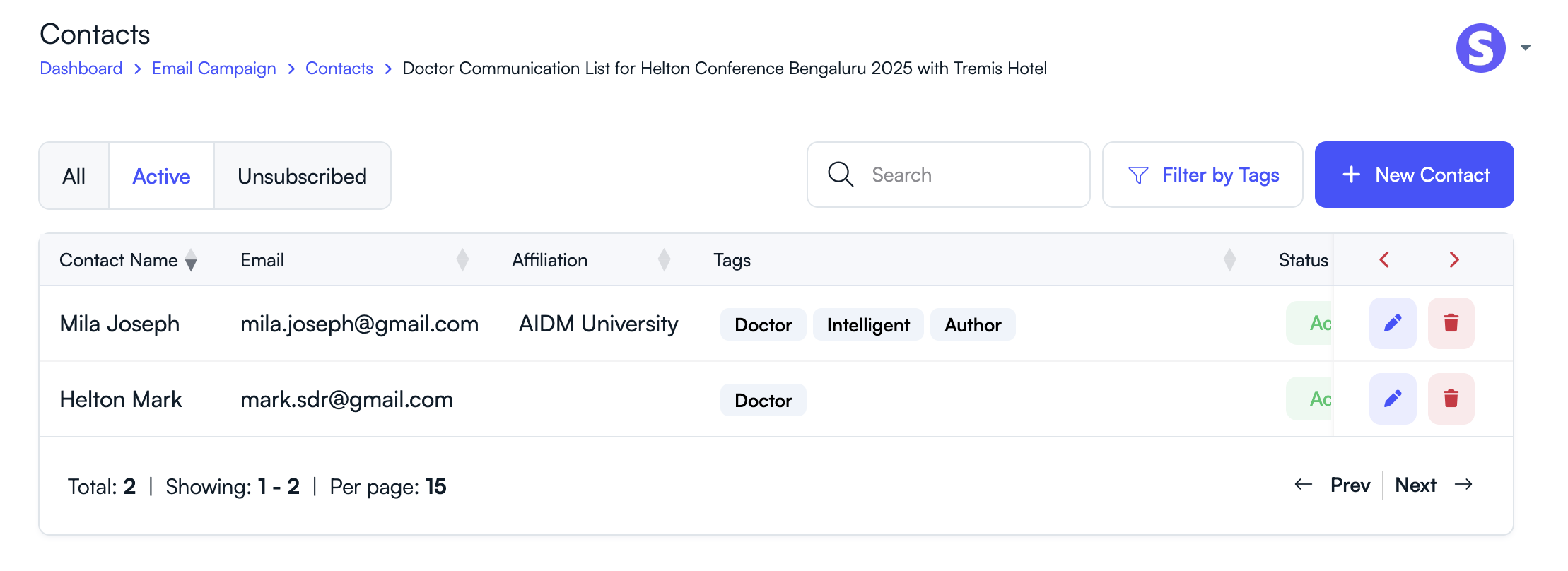
Step 3: View Contact Details
- Each contact entry displays details such as name, email address, and other information.
- Use the search or filter options to find specific contacts.
Step 4: Add or Import Contacts
- Click Add Contact to manually add a new contact.
- Click Import Contacts to upload multiple contacts using a CSV file.
Step 5: Edit or Remove Contacts
- Click Edit next to a contact to update their information.
- Click Delete to remove contacts that are no longer needed.
- Ensure email addresses are valid to avoid delivery issues.
Best Practices for Managing Contact Lists
- Regularly remove invalid or inactive email addresses.
- Organize contacts into separate lists for different audiences.
- Keep contact information up to date.
- Use descriptive names for contact lists.
Proper contact list management helps organizers run effective email campaigns and maintain clear communication with conference participants.
Related Articles
Comience a Gestionar su Conferencia: Desde el Envío hasta la Decisión
Únase a cientos de organizadores que confían en PeerSubmit para gestionar sus eventos académicos con eficiencia impulsada por IA y flujos de trabajo fluidos.
Sin tarjeta de crédito • Configuración en minutos
Organice su Conferencia Sin Caos
Gestione envíos, revisión por pares, registros y flujos de trabajo—todo en una sola plataforma diseñada para eventos académicos.
Únase a cientos de conferencias académicas que ya utilizan PeerSubmitSin tarjeta de crédito • Configuración en minutos