¿Cómo pueden los organizadores crear un nuevo formulario?

Paige Watson
Updated on 10 de marzo de 2026PeerSubmit allows organizers to create custom forms to collect information from participants. Forms can be used for different purposes such as event registrations, surveys, or feedback collection. These forms help organizers gather structured data from users before or after an event.
You can easily create and manage forms from the Forms section of the dashboard.
Step 1: Log in to Your PeerSubmit Account
Start by logging in to your PeerSubmit organizer account.
- Open the PeerSubmit login page.
- Enter your registered email address and password.
- Click Login to access your dashboard.
Step 2: Navigate to the Forms Section
Once logged in, you can access the forms management section.
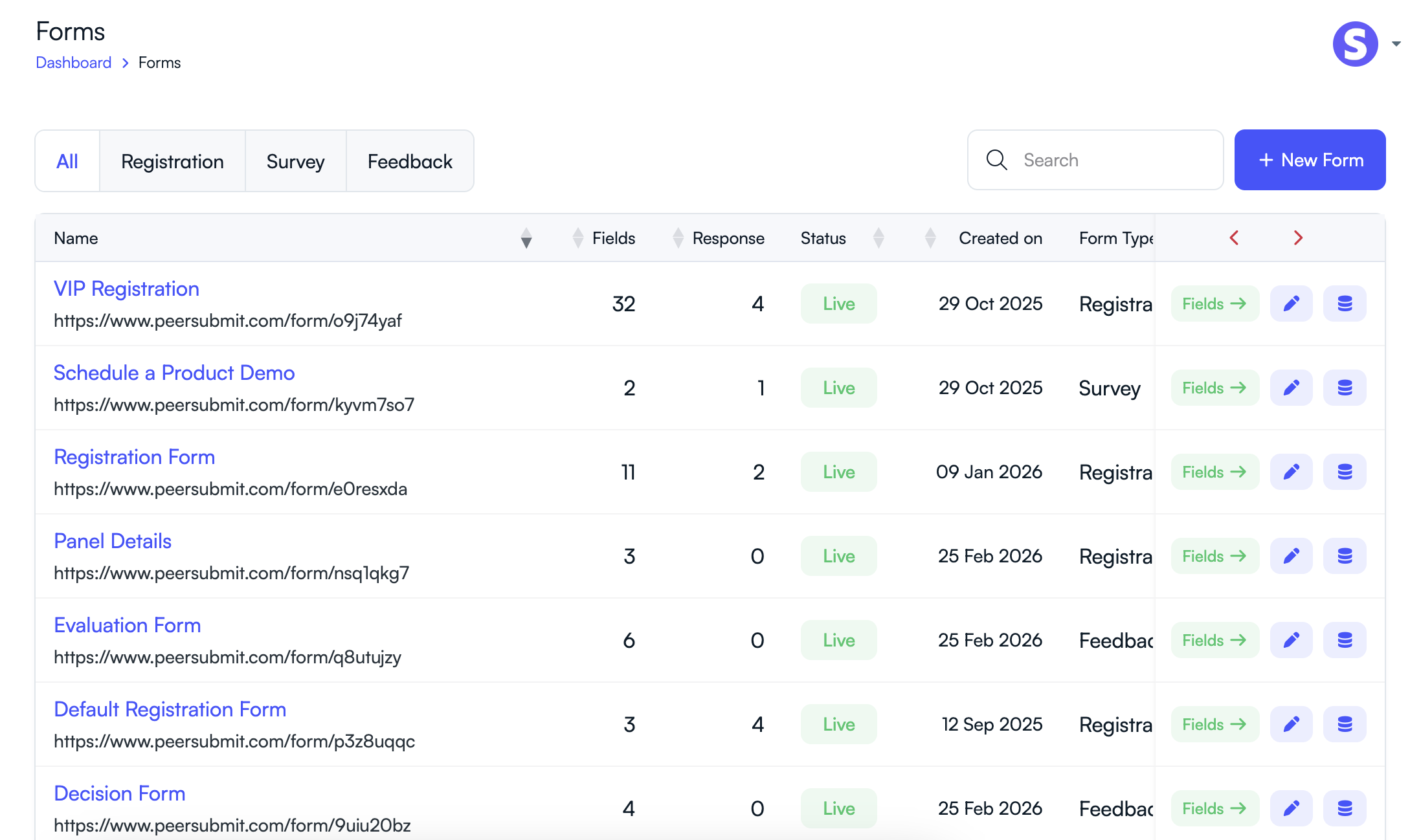
- From the left sidebar menu, click Forms.
- The Forms page will display all previously created forms.
Step 3: Click “New Form”
To create a new form:
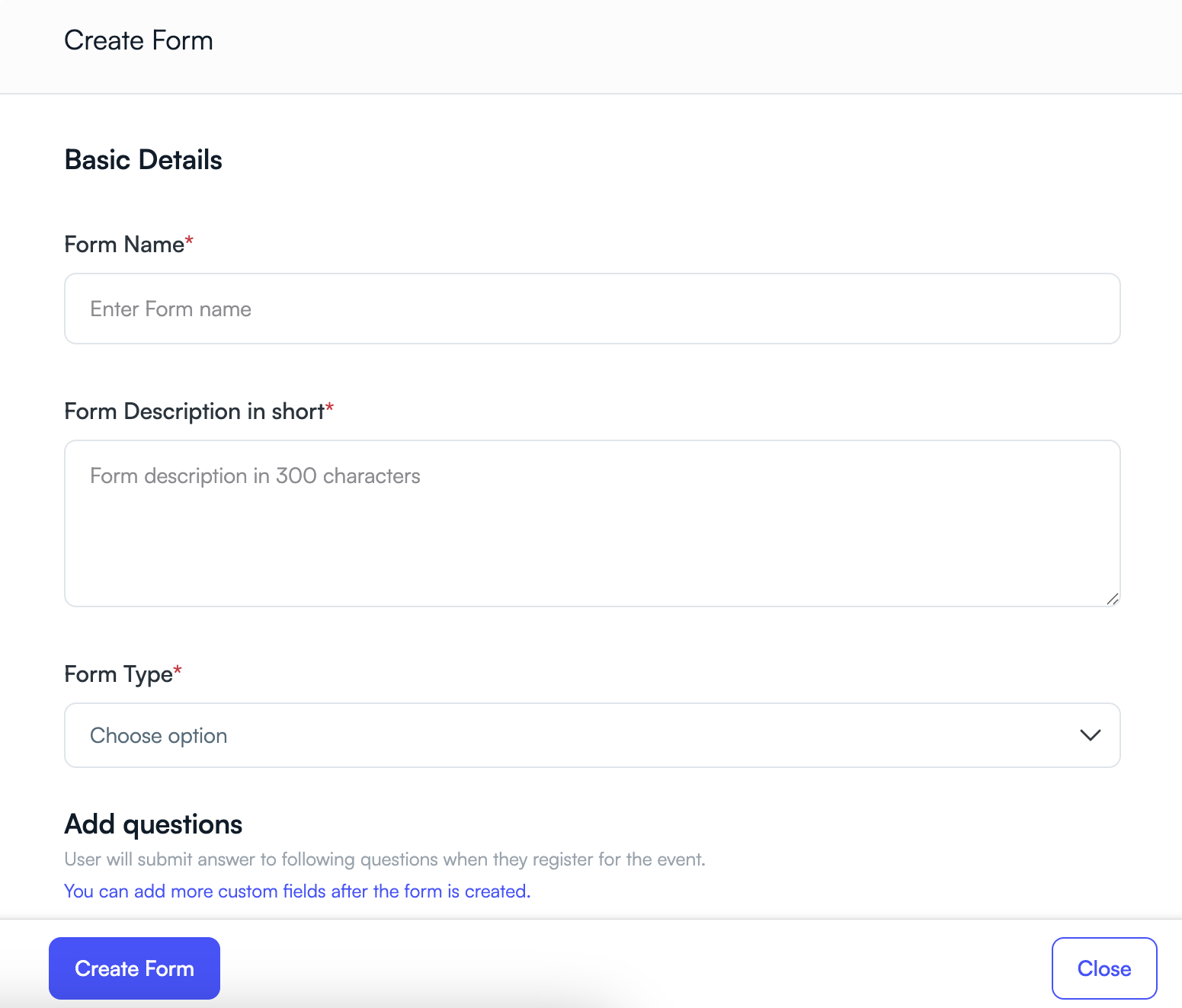
- Click the + New Form button located in the top-right corner.
- The Create Form window will appear.
Step 4: Enter Basic Form Details
Fill in the required form information.
- Form Name – Enter a name for your form (for example: Conference Registration Form).
- Form Description – Provide a short description explaining the purpose of the form.
-
Form Type – Select the appropriate form type:
- Registration – Collect participant registration information.
- Survey – Gather opinions or responses.
- Feedback – Collect feedback after an event.
Step 5: Create the Form
- Click the Create Form button.
- Your form will be created and added to the Forms list.
Next Steps: Add Fields to Your Form
After creating the form, you can begin adding questions or input fields to collect information from users.
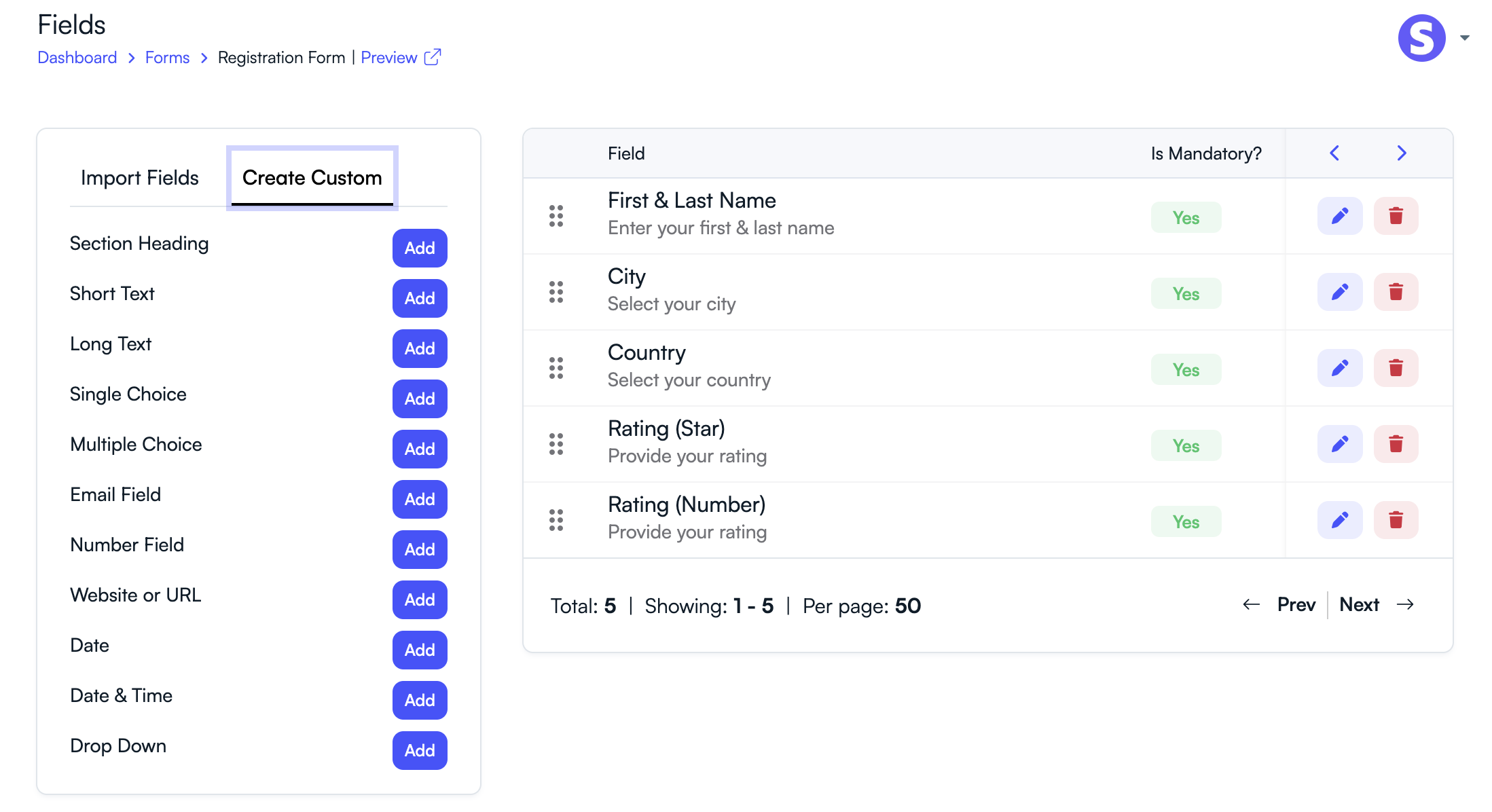
- Add custom fields such as text, dropdown, rating, or date fields.
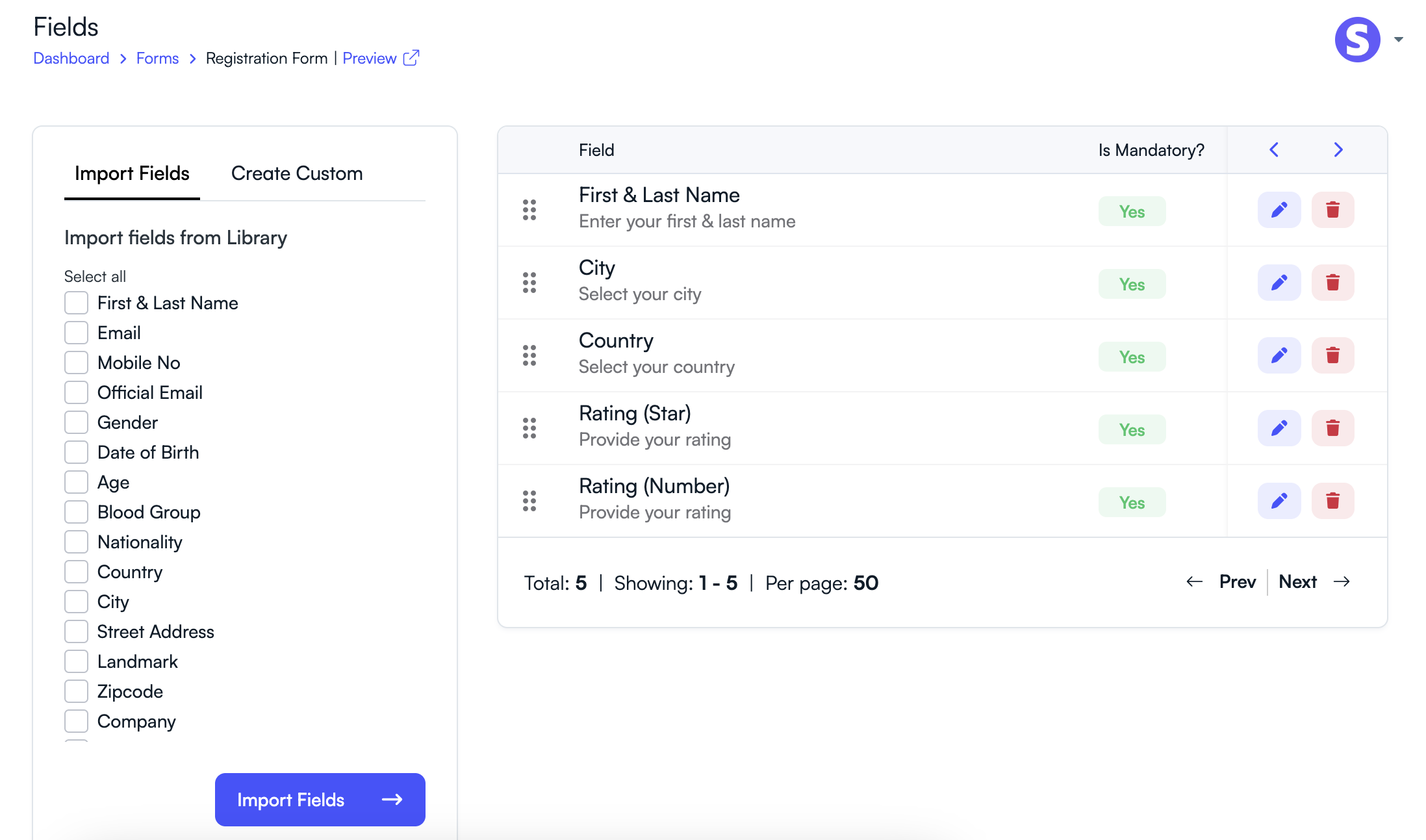
- Import common fields like Name, Email, or Country from the field library.
- Mark fields as mandatory if required.
- Reorder fields using drag-and-drop.
Once the form is configured, you can share the form link with participants and start collecting responses.
Related Articles
Comience a Gestionar su Conferencia: Desde el Envío hasta la Decisión
Únase a cientos de organizadores que confían en PeerSubmit para gestionar sus eventos académicos con eficiencia impulsada por IA y flujos de trabajo fluidos.
Sin tarjeta de crédito • Configuración en minutos
Organice su Conferencia Sin Caos
Gestione envíos, revisión por pares, registros y flujos de trabajo—todo en una sola plataforma diseñada para eventos académicos.
Únase a cientos de conferencias académicas que ya utilizan PeerSubmitSin tarjeta de crédito • Configuración en minutos