¿Cómo importan los organizadores campos de la biblioteca?

Paige Watson
Updated on 10 de marzo de 2026PeerSubmit provides a Field Library that allows organizers to quickly reuse commonly used form fields instead of creating them manually each time. This helps maintain consistency across forms and saves time when building registration, survey, or feedback forms.
Common fields such as Name, Email Address, Phone Number, Organization, Country, and Address are available in the field library and can be imported into any form.
Step 1: Open the Form Builder
To import fields from the library, first open the form editor.
- Log in to your PeerSubmit organizer account.
- Navigate to the Forms section in the dashboard.
- Select the form where you want to add fields.
- Click Edit to open the form builder.
Step 2: Access the Field Library
Inside the form builder, you can import fields from the available field library.
- Click the Import Fields or Field Library option.
- A list of predefined fields will appear.
- Browse the available fields.
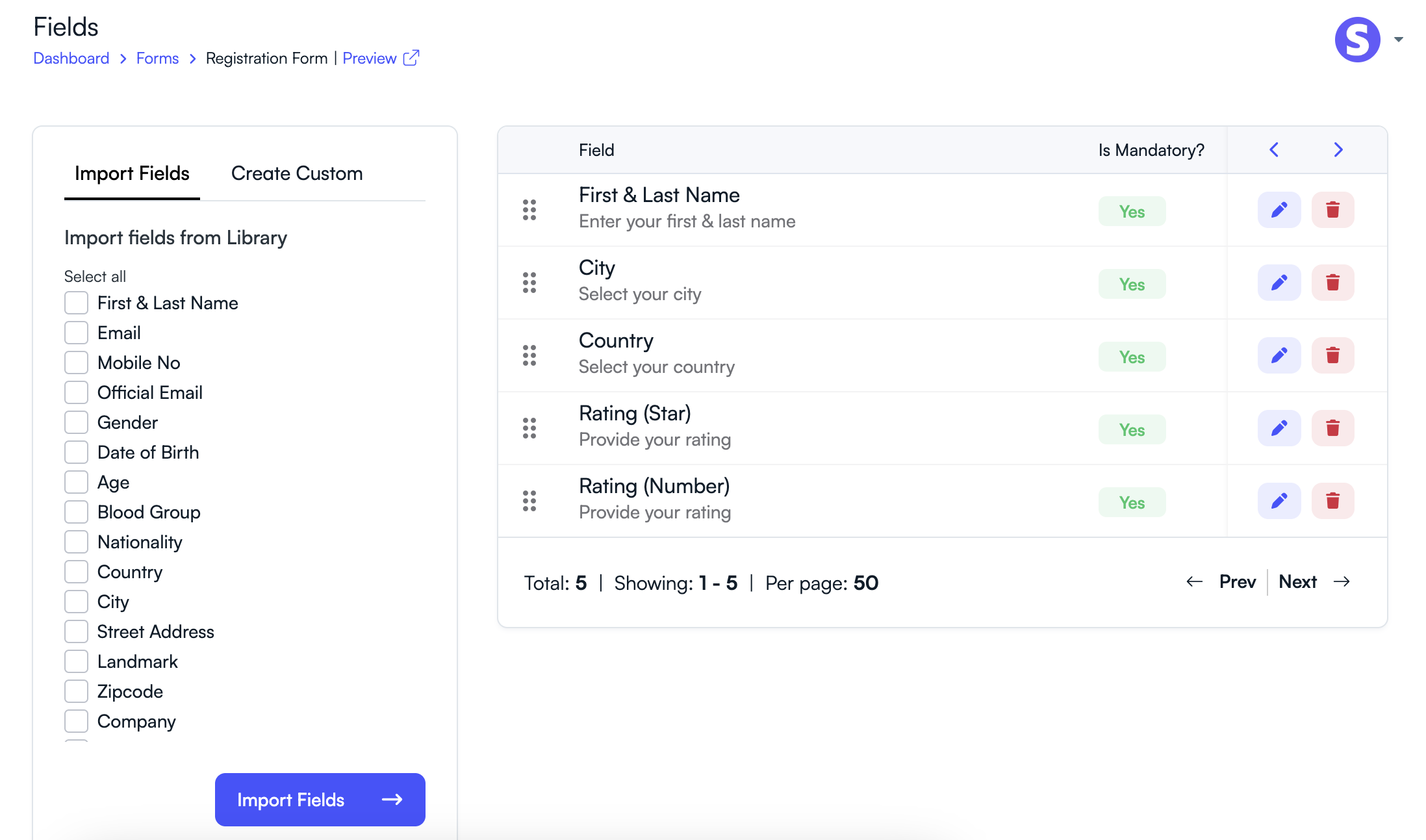
Step 3: Select Fields to Import
Choose the fields you want to include in your form.
- Select one or multiple fields from the library.
- Click Import to add them to the form.
- The selected fields will appear in your form layout.
Common Fields Available in the Library
- First & Last Name
- Mobile No
- Official Email
- Gender
- Date of Birth
- Age
- Blood Group
- Nationality
- Country
- City
- Street Address
- Landmark
- Zipcode
- Company
- Designation
- Website
- College Name
- Department
- T-Shirt Size
- Rating (Star)
- Rating (Number)
Step 4: Customize Imported Fields
After importing fields, you can modify their settings if needed.
- Edit the field label.
- Mark the field as required if necessary.
- Reorder fields using drag-and-drop.
- Remove fields that are not needed.
Using the field library helps organizers quickly build forms while ensuring that commonly required information is collected consistently across multiple forms.
Related Articles
Comience a Gestionar su Conferencia: Desde el Envío hasta la Decisión
Únase a cientos de organizadores que confían en PeerSubmit para gestionar sus eventos académicos con eficiencia impulsada por IA y flujos de trabajo fluidos.
Sin tarjeta de crédito • Configuración en minutos
Organice su Conferencia Sin Caos
Gestione envíos, revisión por pares, registros y flujos de trabajo—todo en una sola plataforma diseñada para eventos académicos.
Únase a cientos de conferencias académicas que ya utilizan PeerSubmitSin tarjeta de crédito • Configuración en minutos