¿Cómo pueden los organizadores eliminar campos?

Paige Watson
Updated on 10 de marzo de 2026PeerSubmit allows organizers to remove form fields that are no longer needed. Deleting unnecessary fields helps keep forms clean, relevant, and easier for participants to complete.
You can delete any field directly from the form builder while editing the form.
Step 1: Open the Form Builder
To delete a field, first open the form editor.
- Log in to your PeerSubmit organizer account.
- Go to the Forms section from the dashboard.
- Select the form you want to modify.
- Click Edit to open the form builder.
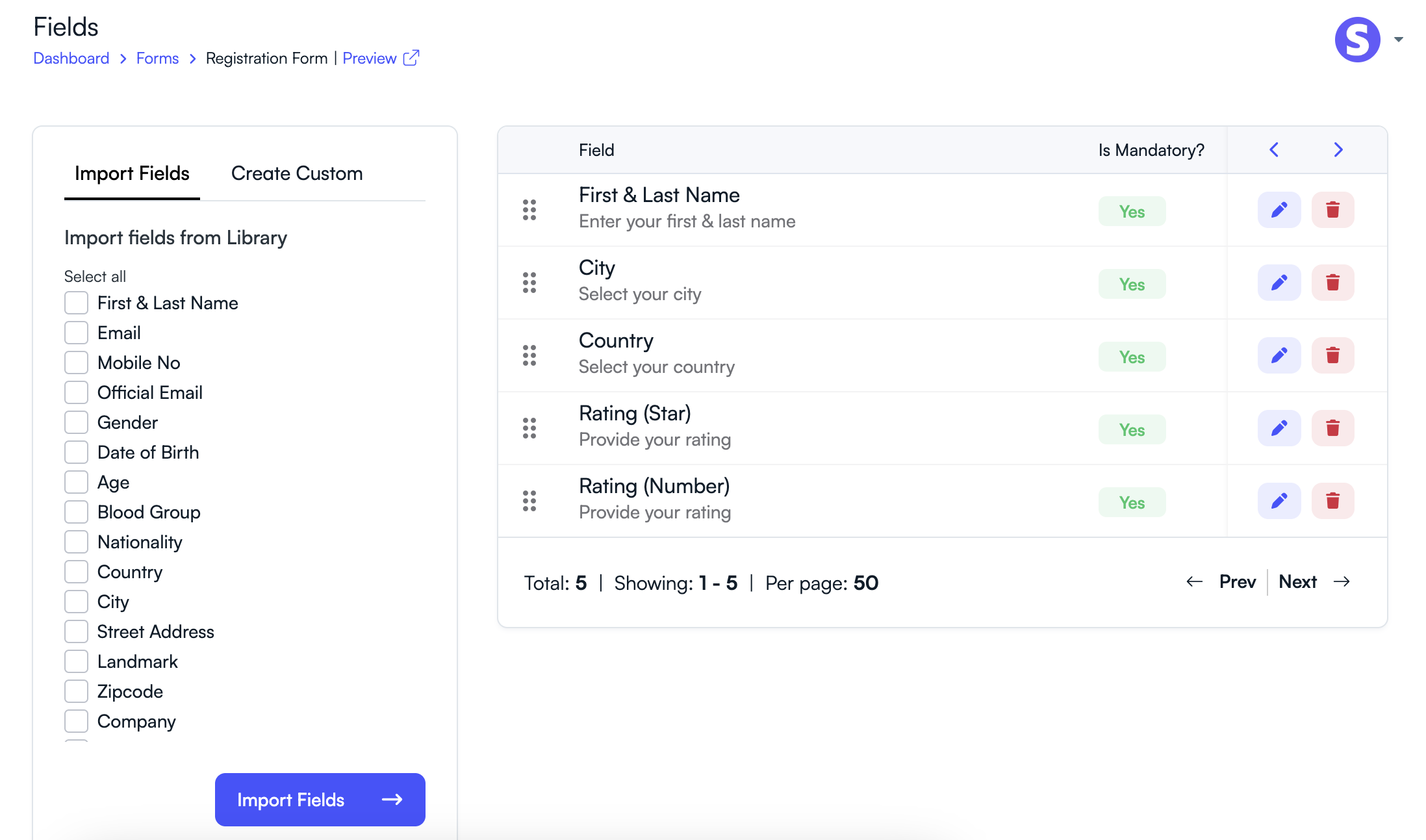
Step 2: Locate the Field to Delete
Inside the form builder, all fields added to the form will be displayed.
- Scroll through the list of fields.
- Find the field you want to remove.
Step 3: Delete the Field
Once you identify the field you want to remove:
- Click the Delete or Trash icon next to the field.
- Confirm the deletion when prompted.
- The field will be removed from the form.
Important Notes
- Deleting a field removes it from the form layout.
- If responses were already collected, you should review data before deleting fields.
- You can always add new fields later if needed.
Keeping only the necessary fields ensures that participants can complete forms quickly and improves the overall user experience.
Related Articles
Comience a Gestionar su Conferencia: Desde el Envío hasta la Decisión
Únase a cientos de organizadores que confían en PeerSubmit para gestionar sus eventos académicos con eficiencia impulsada por IA y flujos de trabajo fluidos.
Sin tarjeta de crédito • Configuración en minutos
Organice su Conferencia Sin Caos
Gestione envíos, revisión por pares, registros y flujos de trabajo—todo en una sola plataforma diseñada para eventos académicos.
Únase a cientos de conferencias académicas que ya utilizan PeerSubmitSin tarjeta de crédito • Configuración en minutos