How can organizers send emails to conference participants?

Paige Watson
Updated on 10 March 2026PeerSubmit allows organizers to communicate with authors and participants through built-in email campaigns. When authors submit papers, their contact details are automatically stored, allowing organizers to send announcements, reminders, or updates easily.
The communication process includes creating a contact list, integrating an email provider, preparing an email template, and sending a campaign.
Step 1: Author Contacts Are Automatically Created
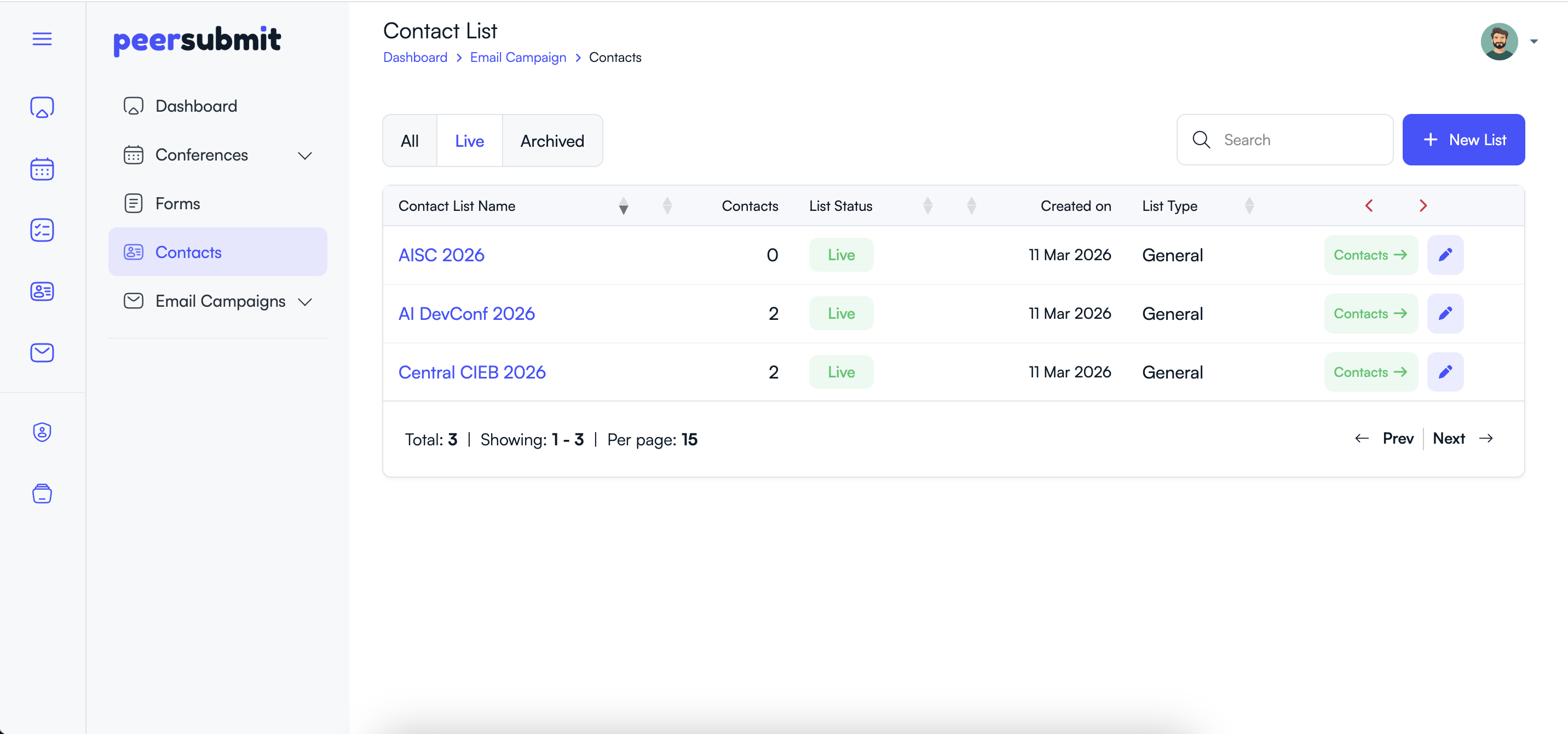
When an author submits a paper to a conference, PeerSubmit automatically creates a contact list for that conference.
- A contact list is created using the conference name.
- Author email and contact details are automatically added to the list.
- Organizers can access these contacts under the Contacts section.
Step 2: Integrate an Email Provider
Before sending emails, organizers must connect an email delivery service.
- Go to Apps & Integrations.
- Choose an available email provider such as AWS SES or Mandrill.
- Add the required API keys or integration details.

Step 3: Create an Email Template
Email templates help organizers reuse common messages such as submission reminders, acceptance notifications, or conference updates.
- Navigate to Email Campaigns → Templates.
- Click Create Template.
- Add the template name and email content.
- Use personalization tags like {name} or {first_name} if needed.

Step 4: Create a New Email Campaign
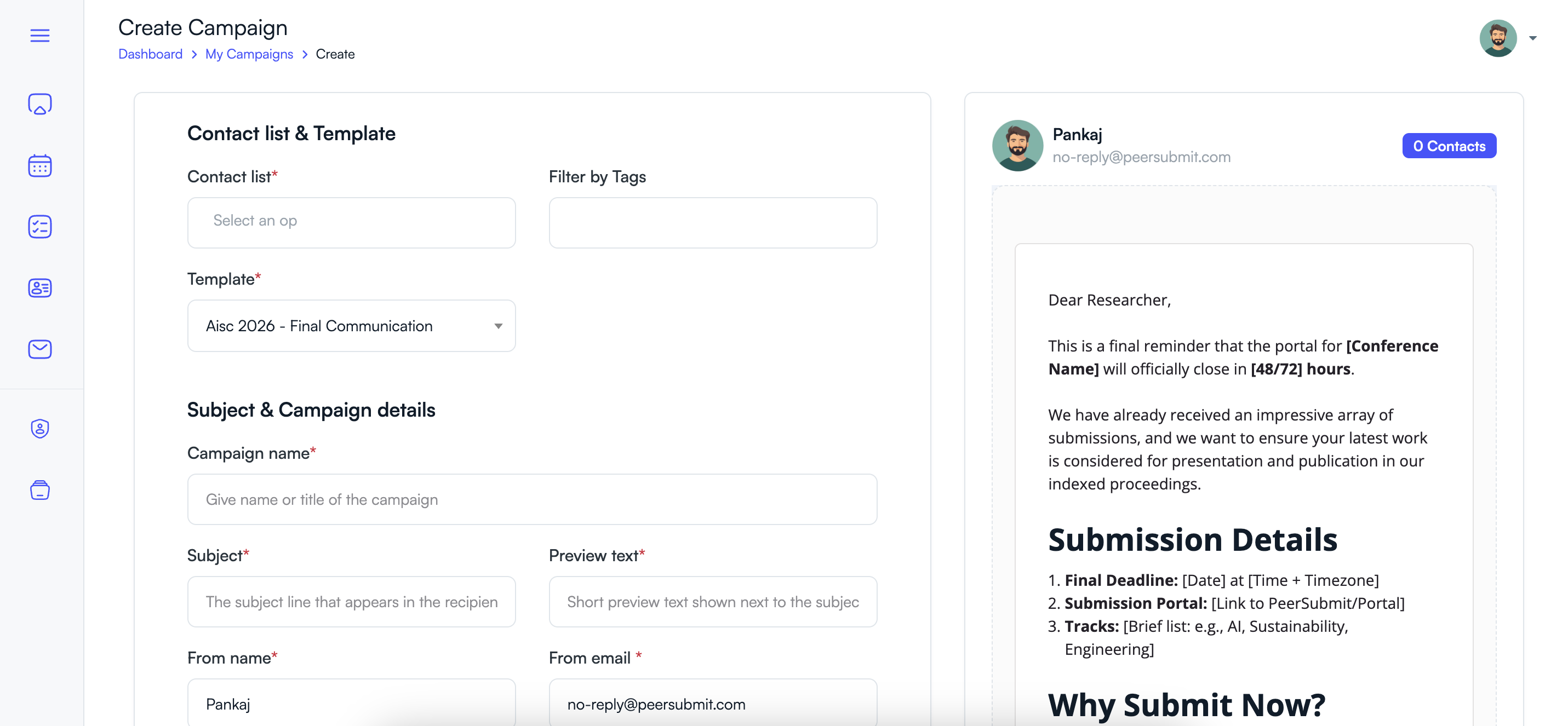
After preparing the template, you can create a campaign to send emails to participants.
- Go to Email Campaigns → My Campaigns.
- Click New Campaign.
- Select the conference contact list.
- Choose the template you created earlier.
- Enter campaign details such as subject and preview text.
Step 5: Send or Schedule the Campaign
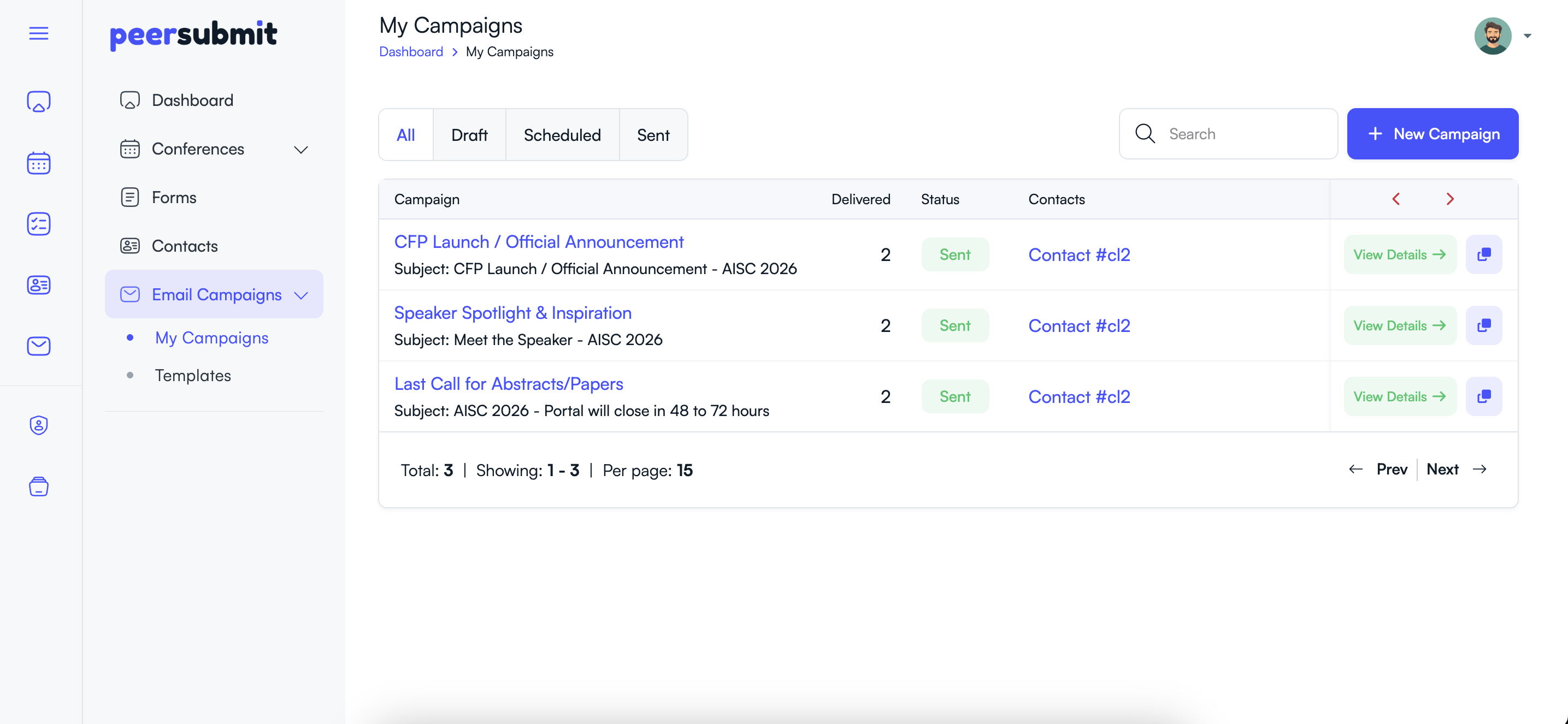
PeerSubmit allows organizers to send emails immediately or schedule them for later delivery.
- Choose whether to send the campaign immediately.
- Or schedule the campaign for a specific date and time.
- Click Send or Schedule.
Step 6: View Campaign Reports
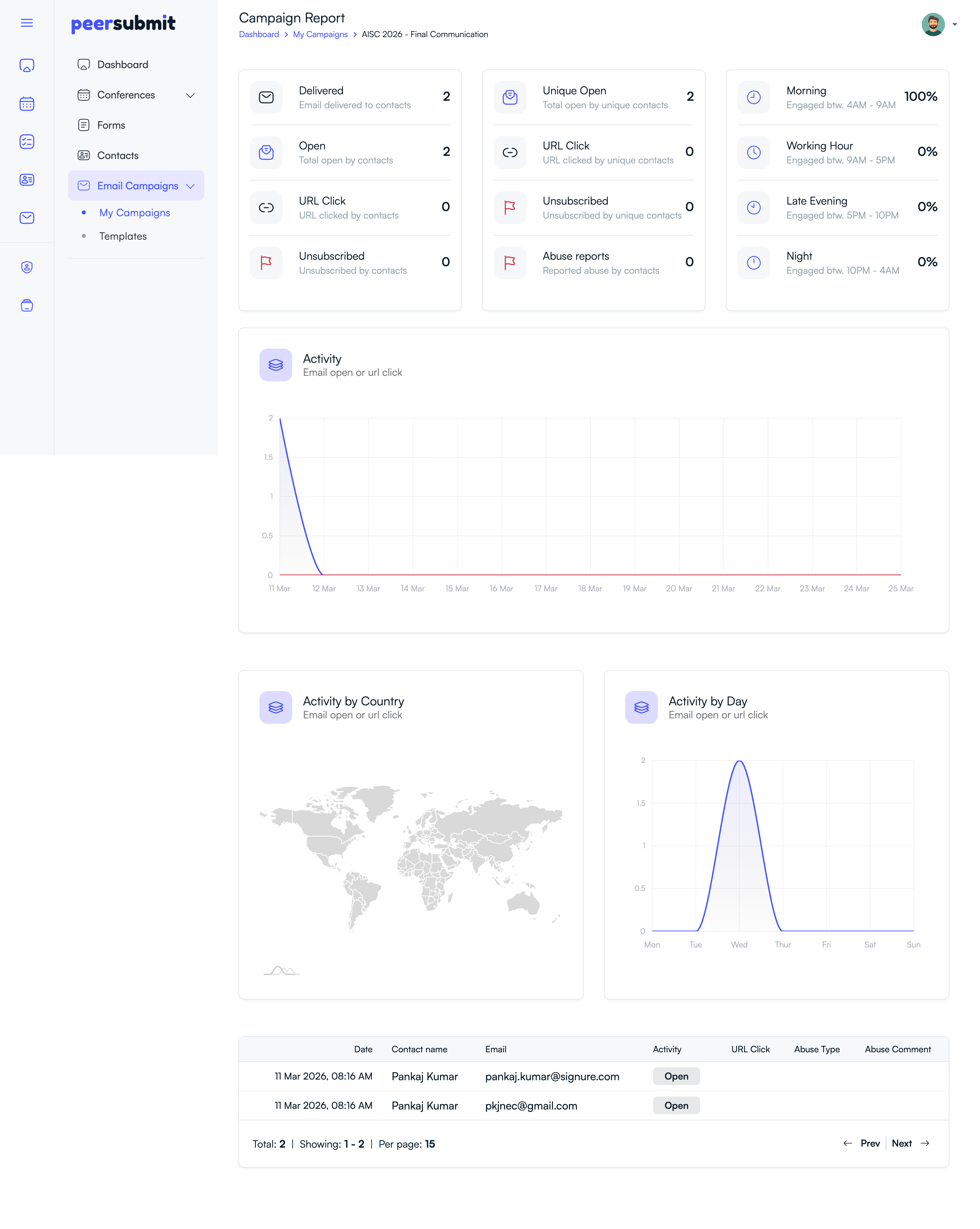
After sending the email campaign, organizers can track performance through campaign analytics.
- View the number of delivered emails.
- Track email opens and link clicks.
- Monitor unsubscribes and abuse reports.
Why Use Email Campaigns in PeerSubmit?
- Send submission reminders to authors.
- Share conference updates or announcements.
- Notify participants about deadlines.
- Track engagement with email analytics.
Using PeerSubmit's communication tools helps organizers manage conference communication efficiently and keep participants informed throughout the conference lifecycle.
Related Articles
Start Running Your Conference—From Submission to Decision
Join hundreds of organizers who trust PeerSubmit to manage their academic events with AI-powered efficiency and seamless workflows.
No credit card required • Setup in minutes
Run Your Conference Without the Chaos
Manage submissions, peer review, registrations, and event workflows—all in one platform built for academic conferences.
Join hundreds of academic conferences already using PeerSubmitNo credit card required • Setup in minutes