Best Conference Registration Software 2026

Paige Watson
Published on 17 September 2026The best conference registration software in 2026 depends on what happens before and after someone buys a ticket. A research conference may need to connect accepted papers with presenters and paid registrations. A corporate event may care more about branded registration paths, CRM data, and on-site check-in. A small public event may simply need a fast ticketing page.
This guide compares six conference registration platforms by their documented strengths. It also explains what to test before committing to a system, particularly if your event needs conference submission and registration software in one workflow.
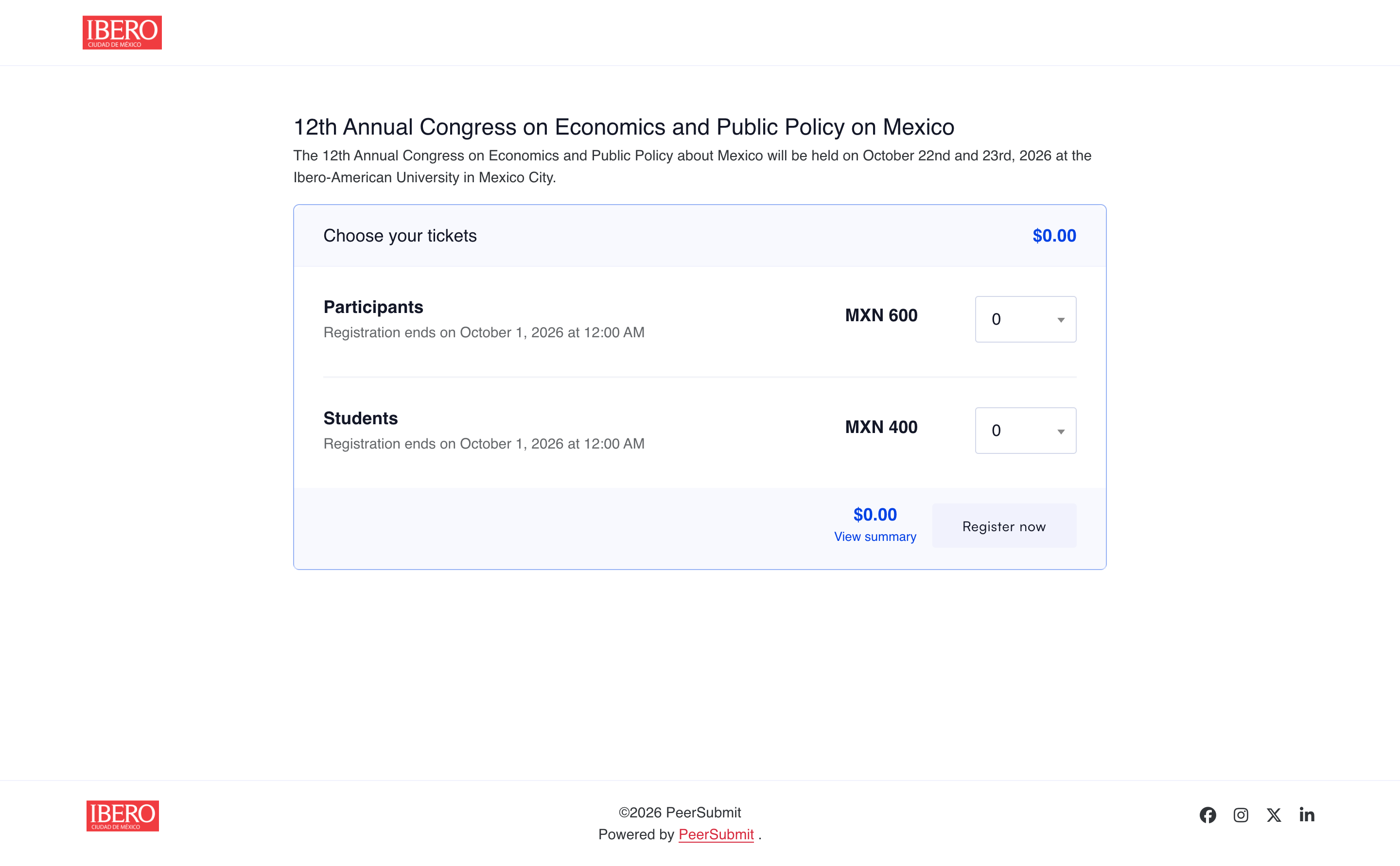
What makes conference registration different from basic ticketing?
Conference registration collects more than names and payments. Organizers may need different rates for authors, students, members, speakers, and guests; workshop choices; discount codes; invoice or offline payment handling; and reports that show who has registered and paid. Conference ticketing software focuses on selling access, while conference management and registration software can also connect submissions, peer review, and presenter decisions.
Best conference registration software for 2026: quick comparison
| Platform | Best fit | Registration strength |
|---|---|---|
| PeerSubmit | Academic conferences managing submissions and delegates together | Tickets, attendee forms, coupons, online and offline payments, and reports alongside peer review |
| Ex Ordo | Scholarly events with presenter registration requirements | Connects submissions and delegate registration; tracks which presenters have paid |
| ConfTool Pro | Academic events with detailed participant categories and fee rules | Configurable participant groups, discounts, invoices, and payment methods |
| Cvent | Large conferences and enterprise event programs | Branded registration, payment services, CRM integrations, and on-site tools |
| Whova | Events prioritizing ticketing and attendee engagement | Ticket types, discount codes, registration pages, app, badges, and check-in |
| Eventbrite | Public events seeking straightforward ticket sales | Event pages, free and paid ticket tiers, and organizer check-in tools |
These are use-case recommendations, not a universal ranking. Features, payment availability, and fees can vary by plan and country; check the current offer and run a test registration before launch.
1. PeerSubmit — best for academic submissions and registration in one platform
PeerSubmit combines academic submissions, peer review, conference registration, ticketing, and payment management in one platform. Organizers can move from a call for papers and reviewer decisions to ticket setup and attendee communication without maintaining a separate registration database.

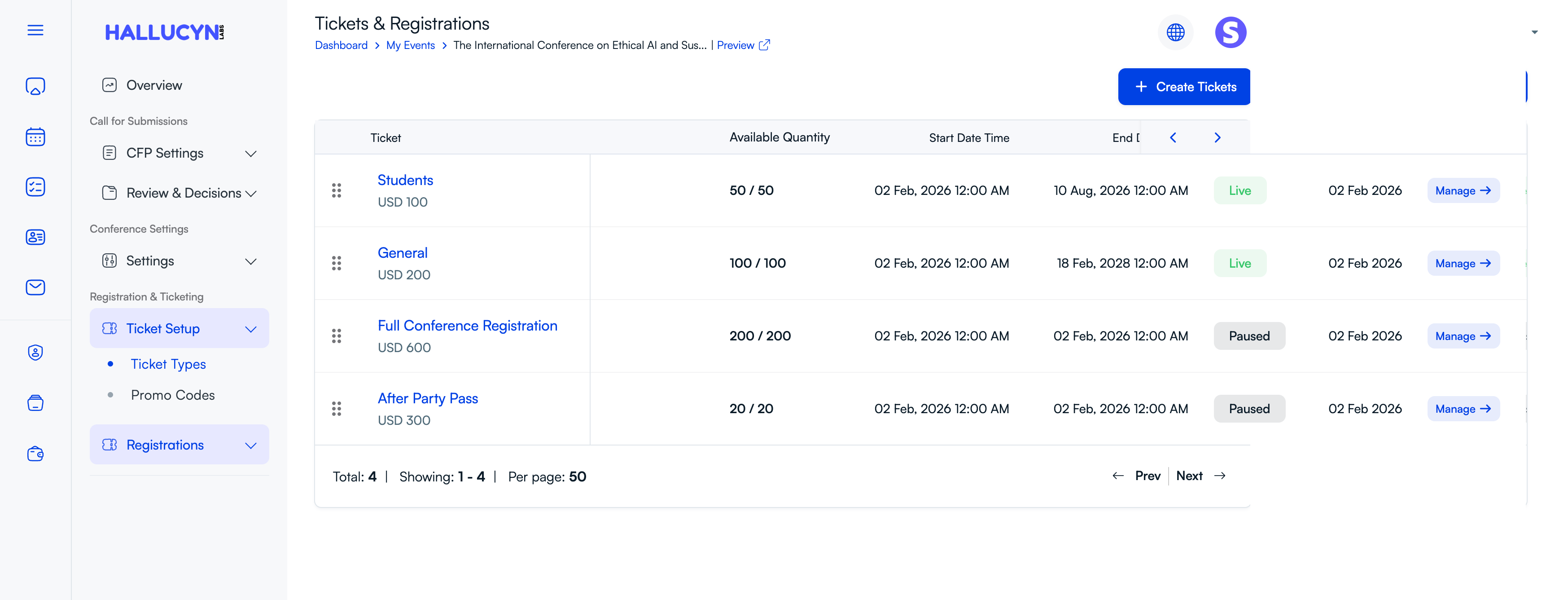
Set up ticket types and registration windows
Organizers can create separate tickets for students, general delegates, full-conference access, or additional activities. Each ticket has its own price, available quantity, and start and end time. The ticket dashboard also shows which ticket types are live or paused, helping the team control sales as capacity and deadlines change. Custom attendee forms can collect the information needed for each ticket type.
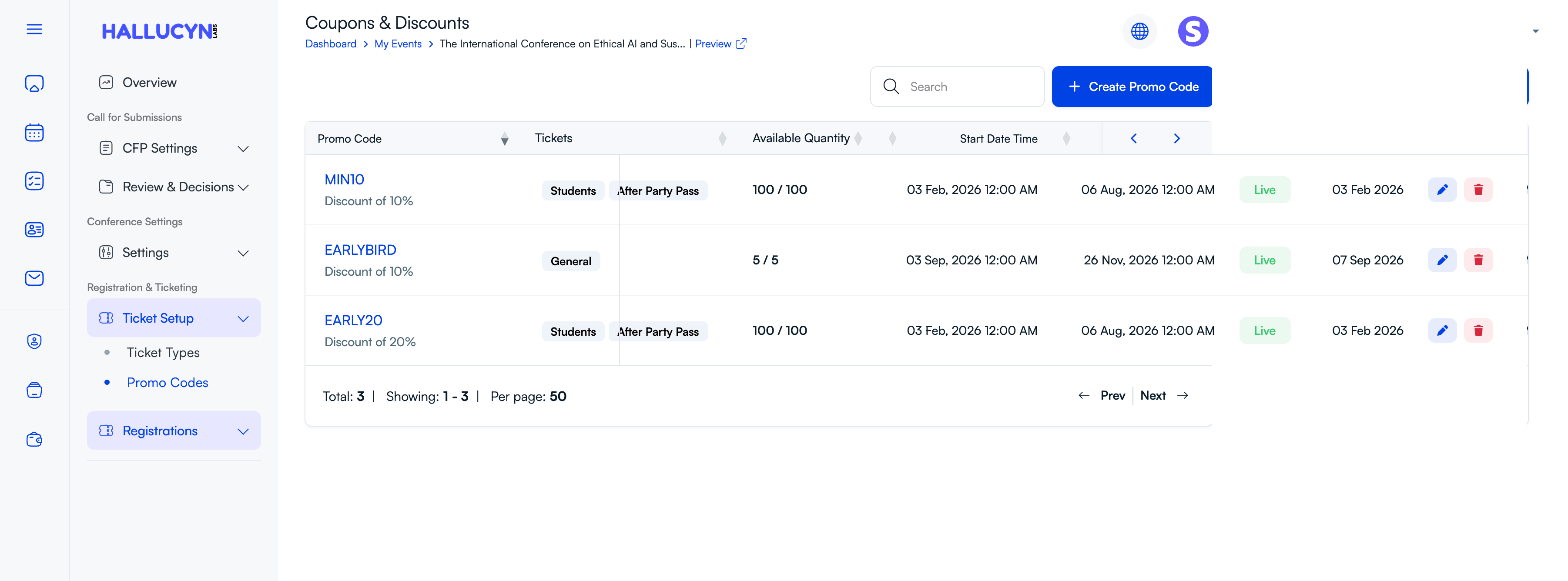
Create targeted promo codes
A conference may need an early-bird offer for general admission and a separate discount for students or workshop passes. PeerSubmit's promo-code screen lets organizers assign a code to selected tickets, set its discount and available quantity, and define when the offer starts and ends. This keeps registration campaigns tied to the relevant ticket categories.
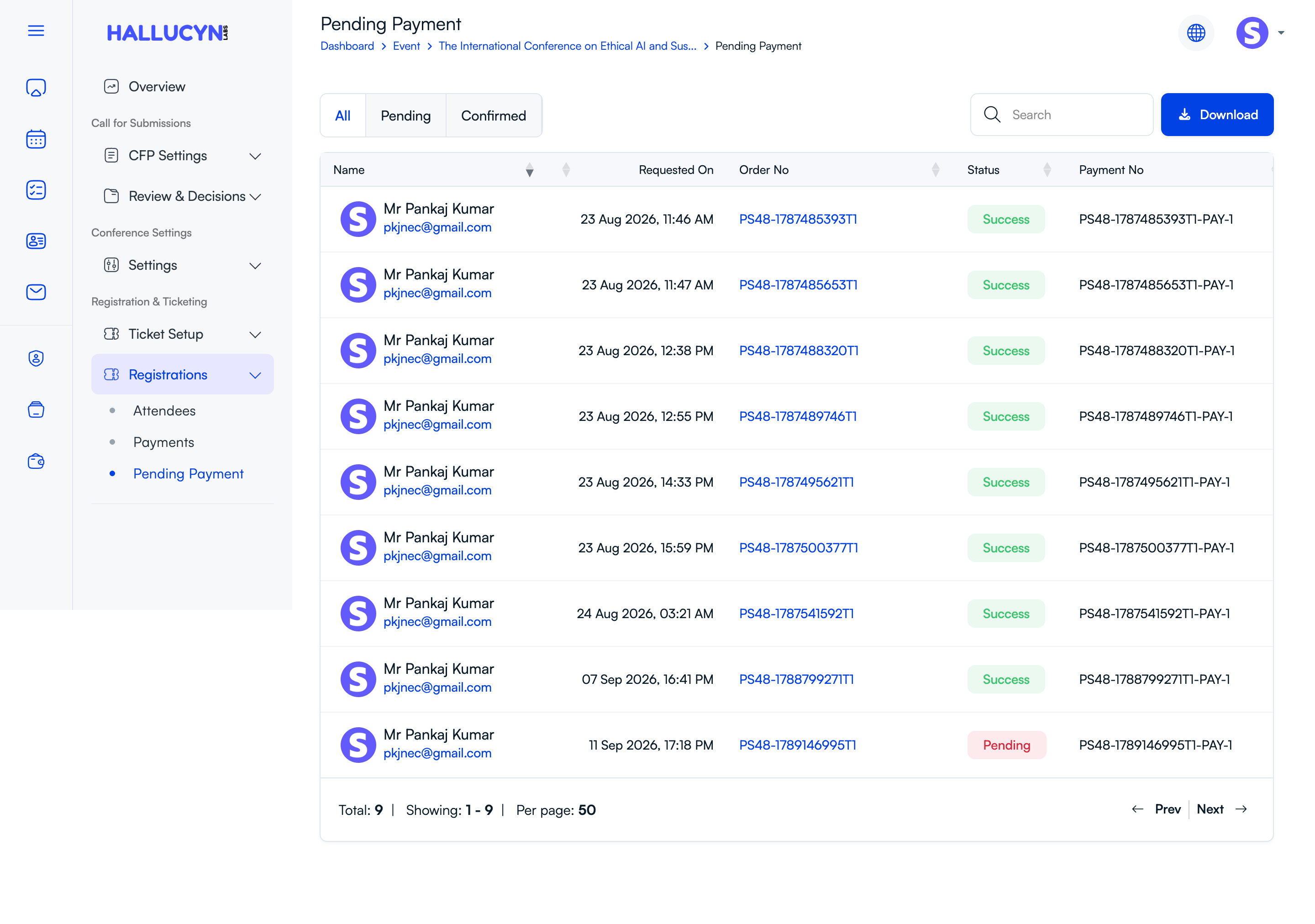
Offer online and organizer-verified direct payments
With a supported connected gateway, successful online payments can confirm registrations automatically. Organizers can also provide instructions for a direct payment to their institution or merchant account. Those requests remain pending until a team member verifies the funds and confirms the payment. The pending-payment view separates pending and confirmed items, supports search, and offers a download for reconciliation.
Review the order and attendee record
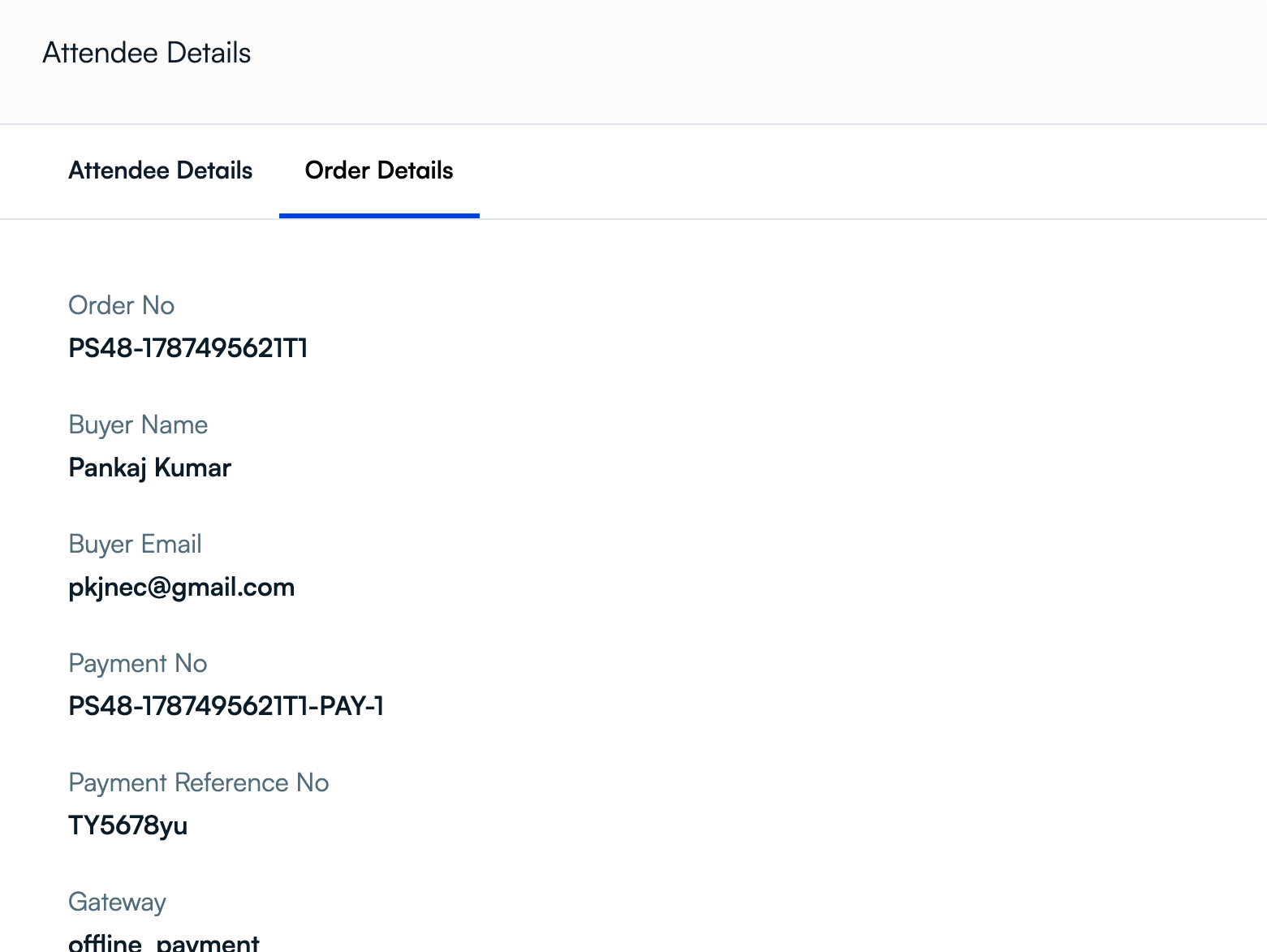
Staff can open a registration to inspect the attendee and order details, including the buyer, order number, payment number, reference, and selected gateway. That record helps reconcile a bank transfer or investigate a payment question before confirming the registration. Once a direct payment is verified, PeerSubmit marks the order as successful, creates the attendee record, and sends a confirmation.
Choose it when: your committee needs to track research submissions and conference attendance together, with control over tickets, discounts, and payment confirmation. See PeerSubmit’s conference management feature guide for the wider academic workflow.
2. Ex Ordo — best for scholarly presenter and delegate tracking
Ex Ordo’s registration product is built for scholarly events. Its registration hub supports fees, workshops, custom questions, discount codes, card payments through Stripe or PayPal, and bank transfers. Organizers can see which presenters have registered and which delegates still owe payment.
Choose it when: presenter payment status and a shared submission-to-registration account are central requirements. Confirm the registration configuration and payment methods you need in your region.
3. ConfTool Pro — best for detailed academic fee rules
ConfTool Pro has separate but connected modules for submissions and participant registration. Its participant registration documentation covers student and member categories, time-based discounts, event add-ons, invoices, taxes, and online or offline payment methods. Authors and reviewers can use the same conference account for registration.
Choose it when: your registration rules have many participant groups, special events, or invoice requirements. Allocate setup time to configure and test each pricing path.
4. Cvent — best for large event programs
Cvent Registration supports branded event websites, custom registration experiences, payments, reporting, and CRM integrations. Cvent also offers conference tools for content, check-in, badges, and attendee engagement.
Choose it when: registration is part of a larger enterprise event program with marketing, CRM, and on-site operations. Ask for a quote that includes the specific modules and payment services your event will use.
5. Whova — best for registration tied to the attendee experience
Whova offers free and paid tickets, early-bird prices, discount codes, custom attendee questions, and embeddable registration. Registration data flows into its event app, badges, and check-in tools. Whova also lists abstract and speaker submission tools, so organizers should test those workflows if scholarly review is important.
Choose it when: the attendee app, networking, and on-site experience matter as much as selling tickets. Review the combined platform and ticketing costs for your event size.
6. Eventbrite — best for simple public-facing ticketing
Eventbrite makes it straightforward to publish an event page, offer free or paid ticket tiers, manage attendees, and scan tickets at the door. This can suit conferences whose registration needs are closer to event ticket sales than to an academic review process.
Choose it when: speed and public ticketing are the priorities. If you also manage abstracts and peer review, plan how author and presenter data will move between systems.
How to choose a conference registration platform
Use a real event scenario to compare vendors. Before signing, ask each provider to demonstrate:
- Registration paths: Can students, members, authors, speakers, and guests see the correct forms and prices?
- Payments: Which gateways, currencies, invoices, taxes, refunds, and offline payment states are supported where you operate?
- Academic workflow: Can accepted authors be identified, invited, and tracked through registration?
- Attendee operations: Can staff export accurate lists and handle changes, capacity limits, and check-in?
- Total cost: Include subscription or license fees, ticket and payment fees, add-ons, and staff setup time.
Run three test registrations before going live: a free attendee, a discounted author, and a paid delegate using your actual payment method. Then check what the attendee receives and what the organizer sees in the reports.
If your event is run by a campus research office or academic department, use our university conference registration guide to test the full path from accepted paper to confirmed attendee.
Final thoughts
For academic conference registration, choose software that can connect the research program with delegate records and payments. PeerSubmit is a strong fit when you want submissions, peer review, registration, ticketing, and payment management together. Ex Ordo and ConfTool Pro are also worth evaluating for scholarly events. Cvent, Whova, and Eventbrite serve different needs across enterprise event operations, attendee engagement, and public ticket sales.
Start Running Your Conference—From Submission to Decision
Join hundreds of organizers who trust PeerSubmit to manage their academic events with AI-powered efficiency and seamless workflows.
No credit card required • Setup in minutes
Conference Registration Software FAQs
Run Your Conference Without the Chaos
Manage submissions, peer review, registrations, and event workflows—all in one platform built for academic conferences.
Join hundreds of academic conferences already using PeerSubmitNo credit card required • Setup in minutes