Best Conference Registration Software for Universities

Paige Watson
Published on 17 September 2026The best conference registration software for universities needs to do more than sell a seat. A research office may collect abstracts, assign reviewers, notify accepted authors, offer student and faculty rates, and confirm who has paid before the program is final. If those steps live in separate tools, staff spend the weeks before the event reconciling lists instead of helping presenters and delegates.
This guide compares university conference registration software by its fit for academic workflows, ticketing, and payment collection. It also shows how PeerSubmit connects submissions and peer review with registration, including the direct-payment process many institutions need.
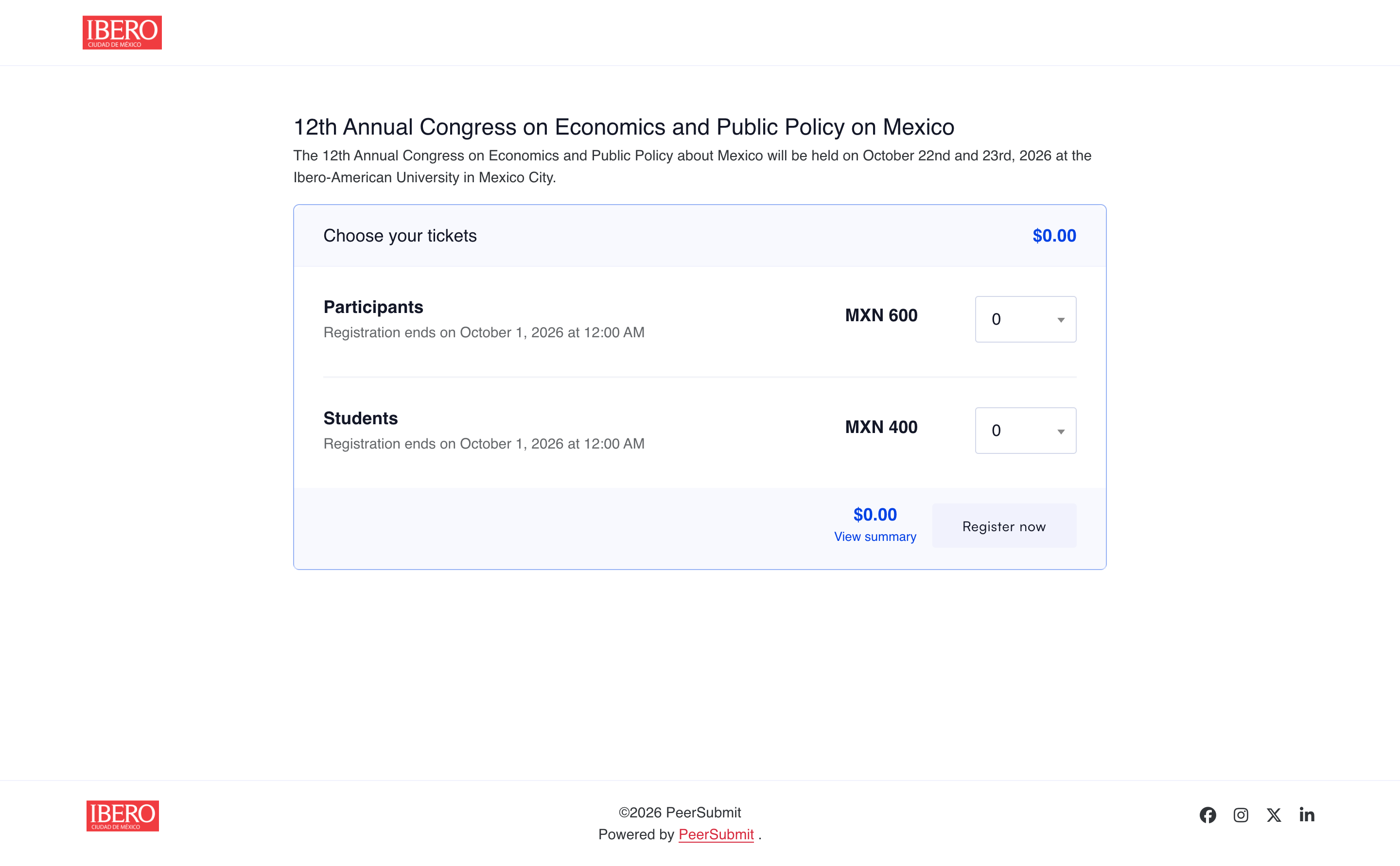
How to choose the best conference registration software for universities
Start with the event your department actually runs. A student research symposium, a faculty congress, and a multi-track international conference may all need different registration rules. Ask each vendor to demonstrate these five tasks:
- Move from acceptance to attendance: Can staff identify accepted authors and see whether presenters have registered?
- Set academic rates: Can students, faculty, members, speakers, and general delegates receive the right tickets, quantities, and sale dates?
- Collect the right information: Can the university attach custom questions to attendee or ticket types?
- Handle institutional payments: Can the finance team distinguish a payment request from a verified payment and find its order reference?
- Report across teams: Can organizers export attendee and payment records without rebuilding data in spreadsheets?
These checks separate a basic university event registration software tool from a conference management platform for universities that must support the academic program as well as the event.
Five conference registration platforms universities should compare
| Platform | University fit | Key test |
|---|---|---|
| PeerSubmit | Academic submissions, peer review, tickets, payments, and attendee records in one workflow | Test an accepted-author registration and an organizer-verified direct payment. |
| Ex Ordo | Scholarly events that need presenter payment tracking | Test card and bank-transfer registration paths. |
| ConfTool Pro | Conferences with detailed participant groups and invoice rules | Configure every student, member, and workshop price. |
| Cvent | Large university event programs with marketing and on-site needs | Confirm which registration, abstract, and payment modules are in the quote. |
| Whova | Events where registration and the attendee app matter together | Demonstrate abstract review and attendee check-in in one event. |
This is a use-case comparison, not a universal ranking. Pricing, gateway eligibility, and module availability depend on the provider and institution; verify them with a live demonstration and proposal.
1. PeerSubmit — for submissions, review, and registration together
PeerSubmit for universities supports calls for papers, abstract and manuscript intake, reviewer assignments, decisions, conference pages, registration, ticketing, and payment records. It is a strong choice when the university wants conference registration and abstract submission software in the same operational workflow. Chairs can manage the academic program while event staff work with tickets and attendees.
For committees searching for conference registration software with peer review, the practical benefit is continuity: accepted work and delegate registration belong to the same conference workspace. Organizers still need to check each accepted presenter's registration status before finalizing the program; the platform gives them a shared place to do that work.
Ticket types and attendee forms
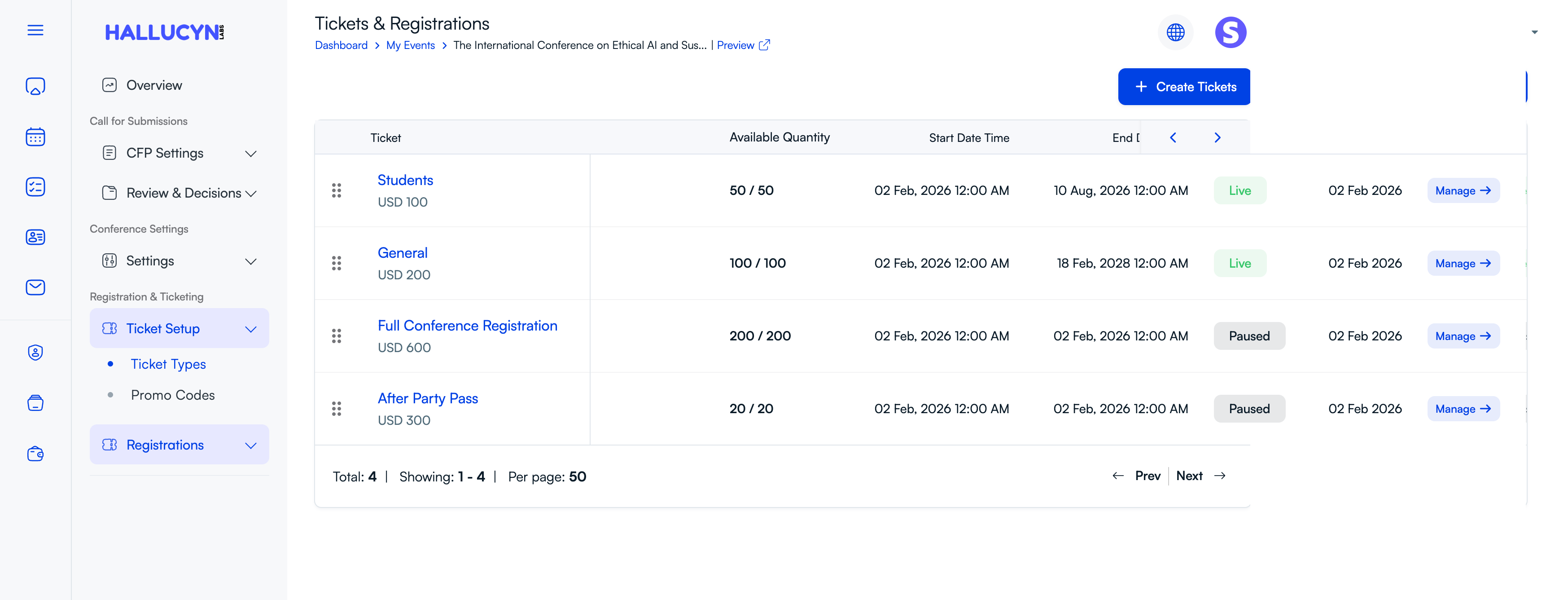
Build separate tickets for students, faculty, members, general delegates, or optional activities. The ticket dashboard shows prices, available quantities, start and end times, and whether a ticket is live or paused. Custom forms can collect attendee details appropriate to each ticket type. This is more useful to an academic conference than a single undifferentiated registration form.
Discounts for academic audiences
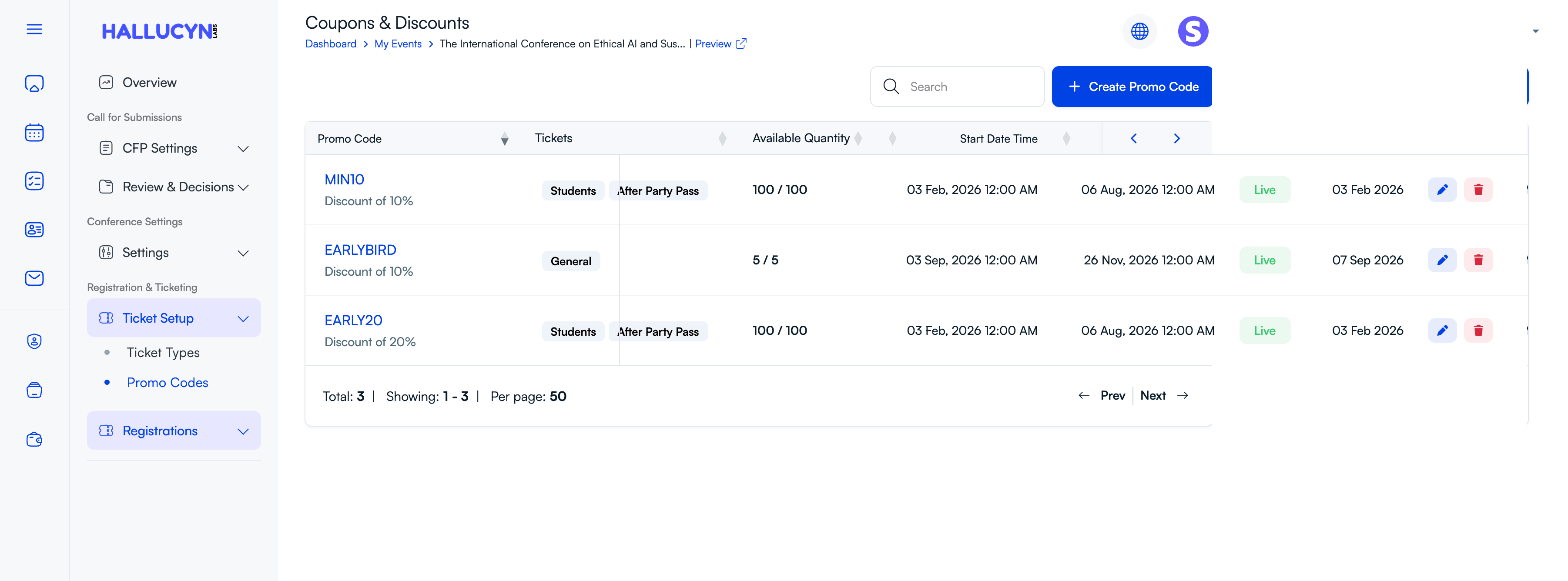
Promo codes can be limited to selected ticket types, given a fixed period, and capped by available quantity. A department could use one code for early-bird general admission and another for a student workshop pass. The discount list makes the active offer and its remaining quantity visible to the organizing team.
2. Ex Ordo — for scholarly presenter tracking
Ex Ordo connects scholarly submissions and delegate registration, shows which presenters have paid, and supports configured card or bank-transfer payments. Its forms can include conference fees, workshops, and additional delegate questions. It suits research events where presenter payment follow-up is a major task.
3. ConfTool Pro — for detailed academic fee and invoice rules
ConfTool Pro combines submission and participant modules. Its registration settings cover participant groups, student or member discounts, additional event items, invoices, taxes, and online or offline payment choices. It is worth evaluating when the university has many fee categories or formal invoice requirements. Plan time to test the configuration.
4. Cvent — for a larger campus event program
Cvent Registration offers branded registration, payment services, reports, and integrations for broader event operations. Cvent also publishes abstract and speaker content tools. A university running many events across schools should compare the total package, including the modules needed for its research conferences.
5. Whova — for registration plus attendee engagement
Whova connects ticketing and registration with its event app, badges, and check-in. It also publishes abstract management tools. It is a sensible comparison for a university event where the attendee experience is as important as the submission process. Test the full reviewer and payment workflow if those are central requirements.
Conference Registration Software with Offline Payment
University conference payment collection often follows an institutional process. Some attendees pay online; others are instructed to pay the university directly by bank transfer or another approved route. The important control is that an offline conference registration payment should stay pending until the university verifies receipt. A payment request alone should not release a confirmed ticket.
PeerSubmit's direct-payment workflow follows a clear sequence:
- The university collects payment directly. The registration page presents the organizer's payment instructions for its institutional or designated merchant account.
- The organizer verifies the payment. Staff compare the bank or finance record with the order and payment reference in PeerSubmit.
- PeerSubmit releases the registration. After an organizer confirms the pending payment, the order becomes successful, the attendee record is created, and the confirmation is sent.
This is useful for conference registration payment by bank transfer or another direct institutional method. The offline workflow records an organizer-confirmed payment; it does not automatically verify money in the university's bank account. Online payments through a supported connected gateway follow their own successful-payment confirmation path.
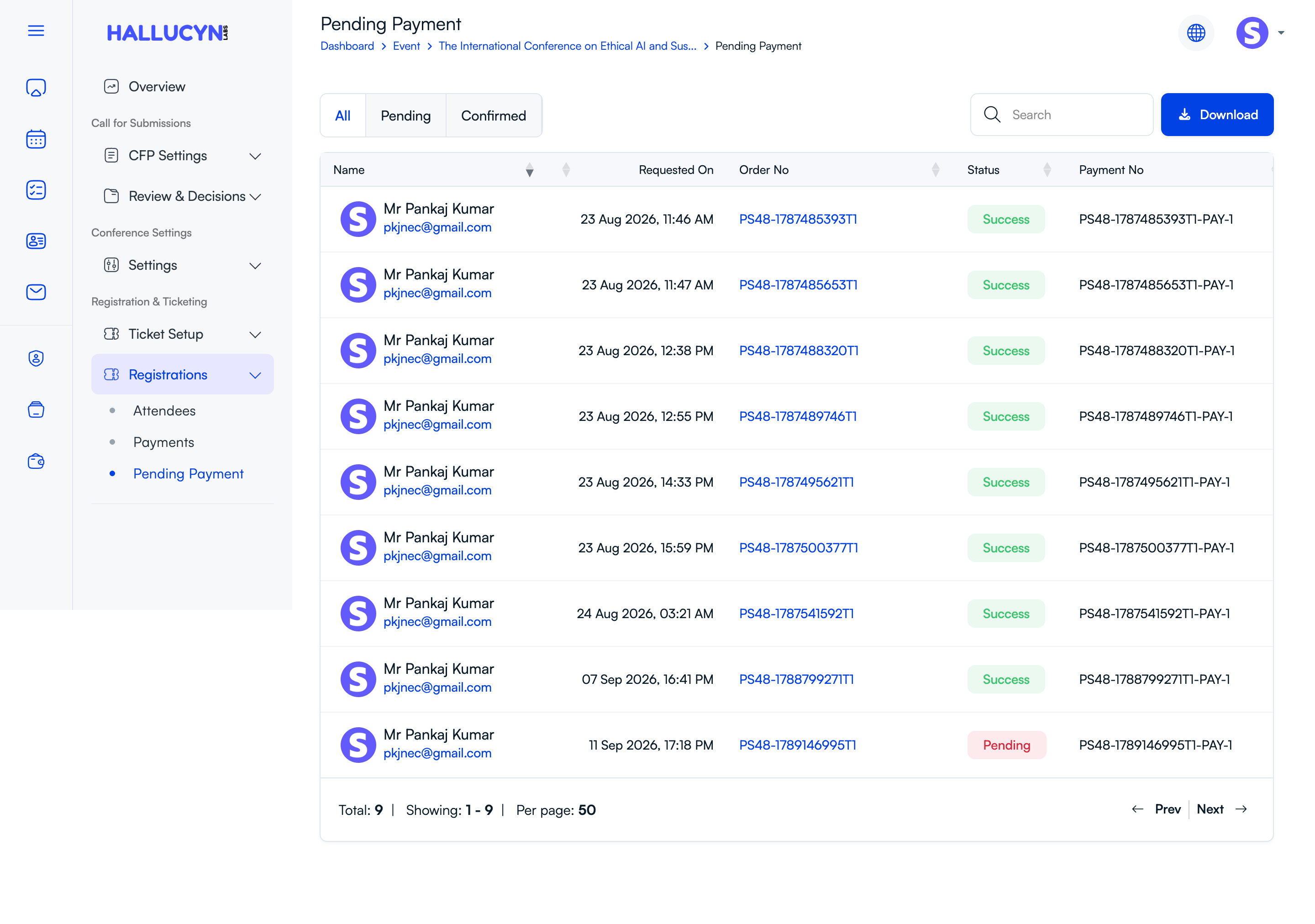
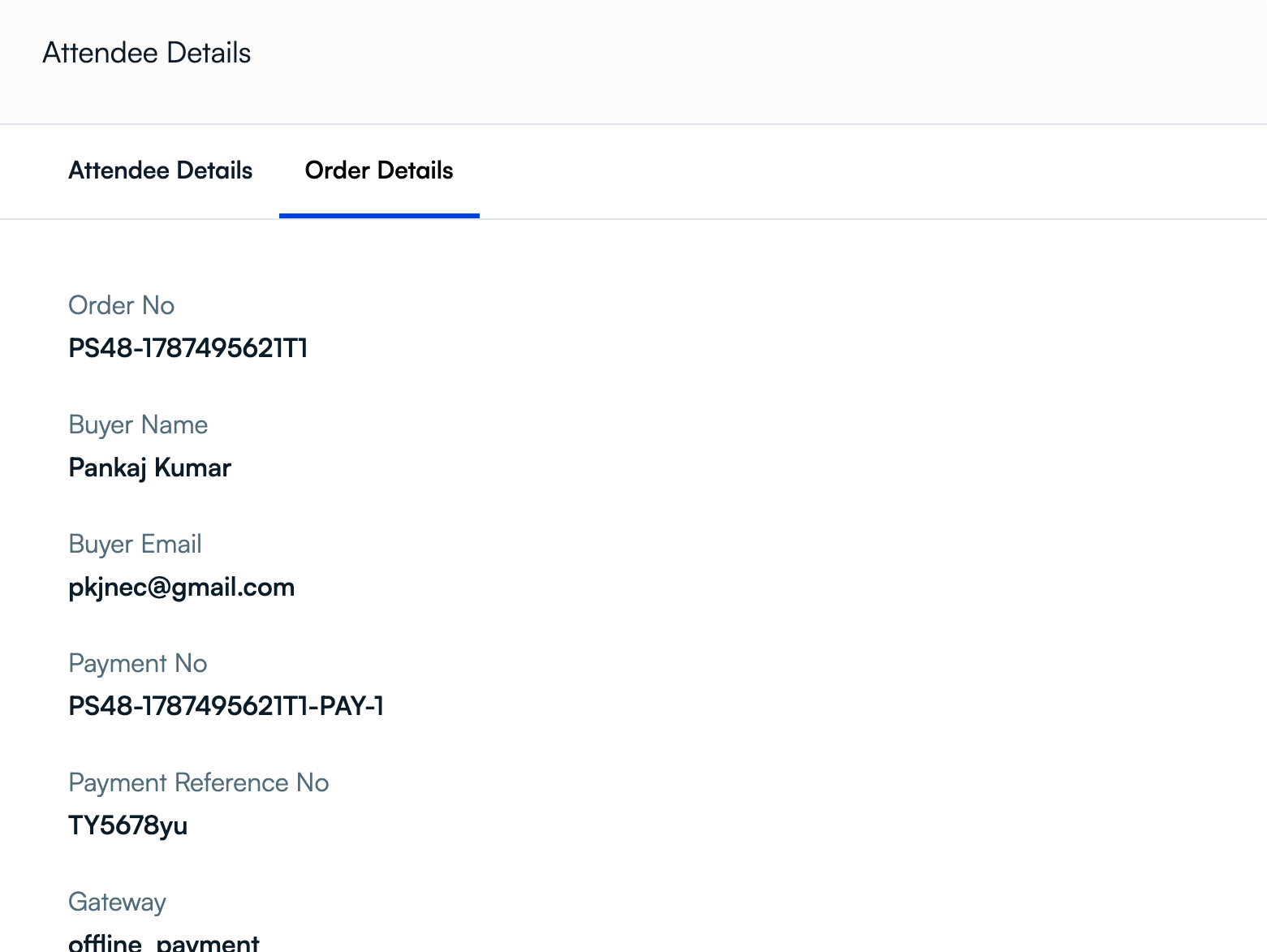
An order's detail view includes its buyer, payment number, reference, and gateway. These fields make it easier for registration staff and finance colleagues to investigate a payment without relying on an email thread.
A practical university buying test
Ask each provider to run one complete scenario: accept a paper, register its presenter at the correct rate, apply a student or early-bird code, and process a second attendee using direct-payment instructions. Check what appears in the attendee list before and after payment verification, what message the attendee receives, and what the finance team can export. This exposes gaps that a list of features can hide.
Final thoughts
The right academic conference registration software depends on the university's submission process, ticket rules, and payment controls. PeerSubmit is particularly relevant when the same team needs to manage abstracts, peer review, attendee forms, ticketing, and organizer-verified direct payments. Ex Ordo and ConfTool Pro are also strong academic comparisons; Cvent and Whova address broader event operations and engagement needs.
Start Running Your Conference—From Submission to Decision
Join hundreds of organizers who trust PeerSubmit to manage their academic events with AI-powered efficiency and seamless workflows.
No credit card required • Setup in minutes
University Conference Registration FAQs
Run Your Conference Without the Chaos
Manage submissions, peer review, registrations, and event workflows—all in one platform built for academic conferences.
Join hundreds of academic conferences already using PeerSubmitNo credit card required • Setup in minutes