How can organizers create a contact list?

Paige Watson
Updated on 10 March 2026PeerSubmit allows organizers to create Contact Lists to manage and organize email recipients for campaigns. Contact lists help group participants such as authors, reviewers, attendees, or subscribers so that emails can be sent to the correct audience.
By creating contact lists, organizers can easily manage large numbers of contacts and reuse the same list for multiple email campaigns.
Step 1: Navigate to Contacts
- Log in to your PeerSubmit organizer dashboard.
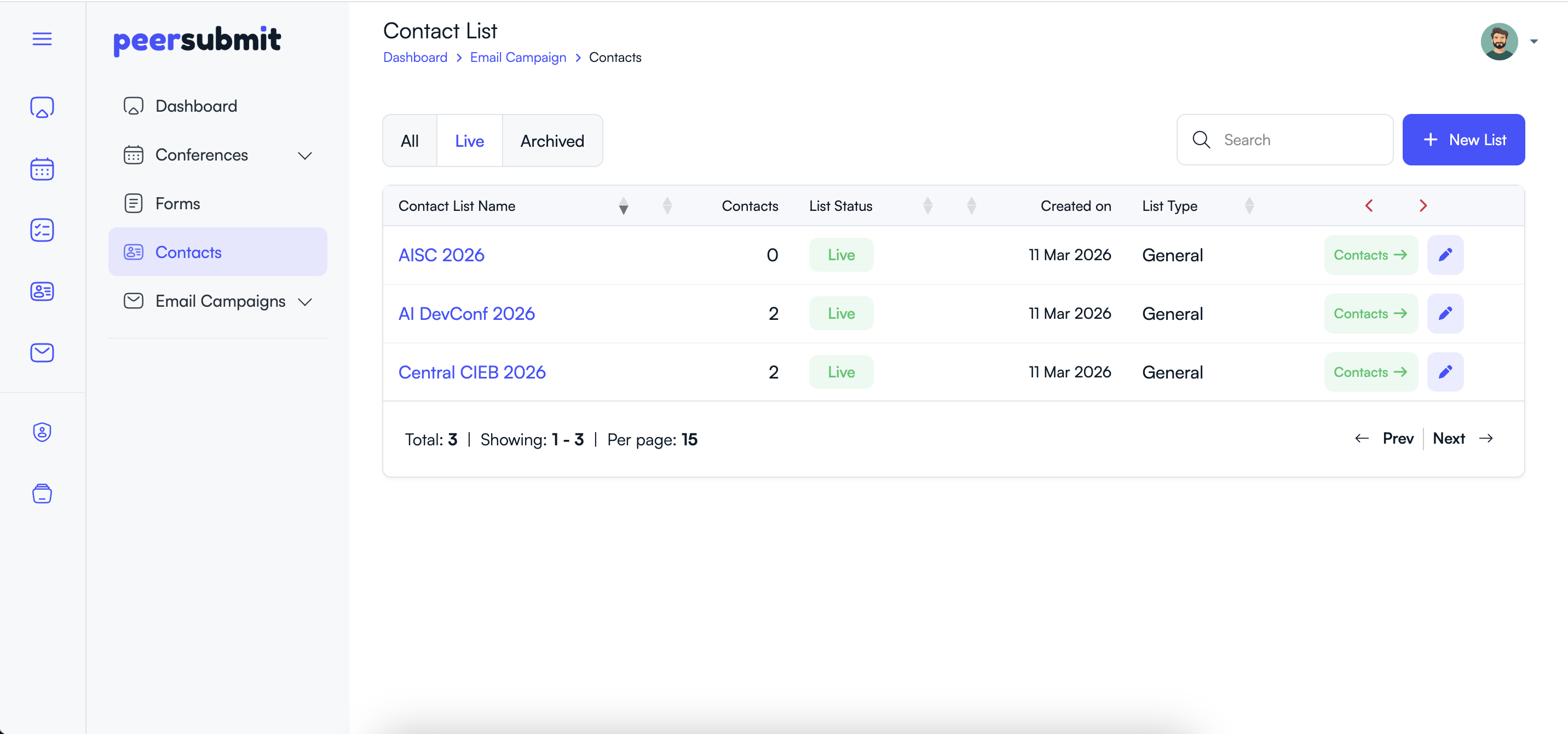
- From the left sidebar menu, click Contacts.
- The contacts page will display all existing contact lists.
Step 2: Create a New Contact List
- Click the New List button.
- Enter a Contact List Name.
- Optionally add a short description for the list.
- Click Create to save the list.
Step 3: Add or Import Contacts
After creating the contact list, you can add recipients to it.
- Open the newly created contact list.
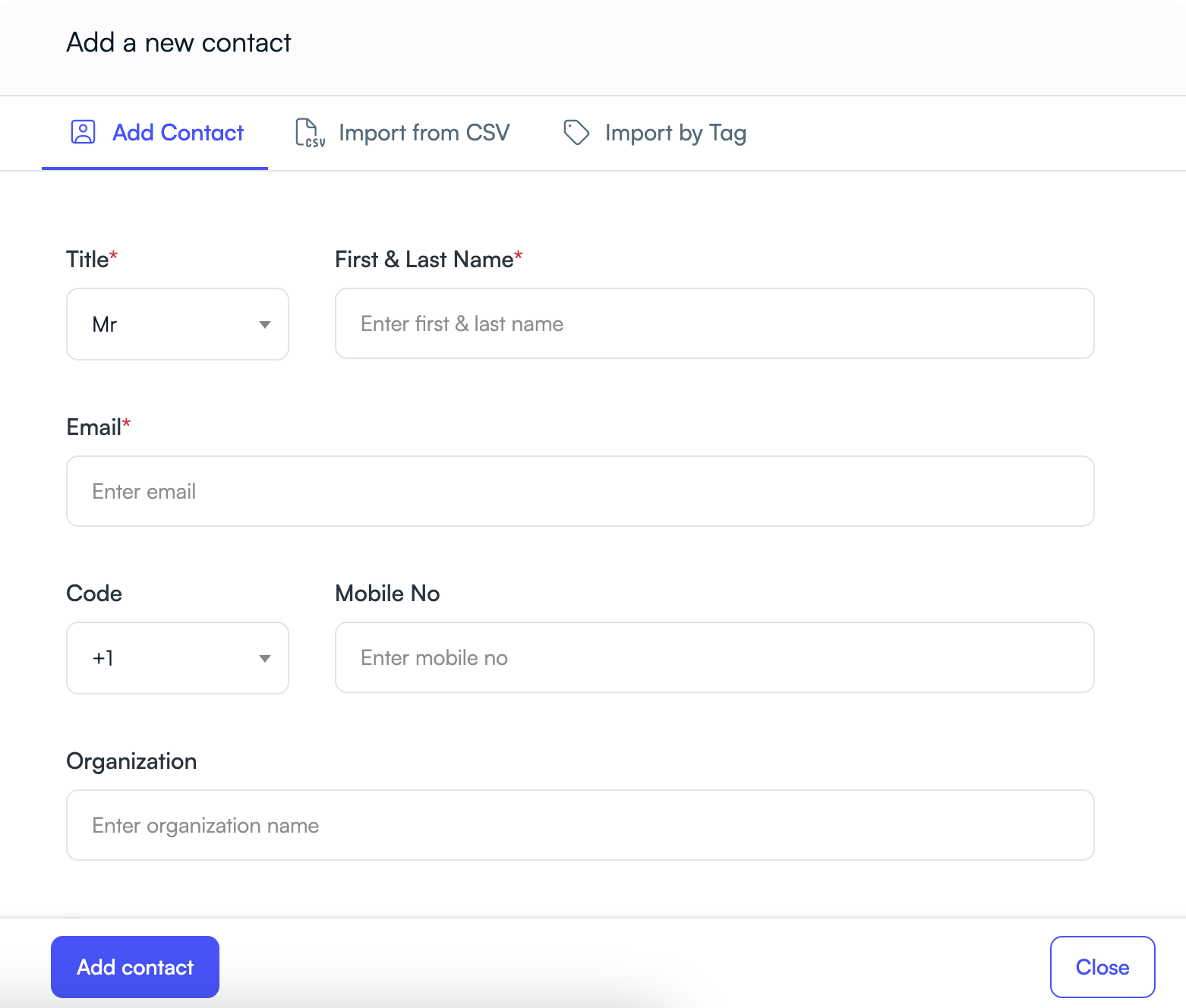
- Click Add Contact to add contacts manually.
- Or click Import Contacts to upload contacts using a CSV file.
- Verify the imported contacts and save them.
Step 4: Organize Contacts
- Assign tags to contacts if needed.
- Update contact information when necessary.
- Remove inactive or invalid contacts.
Benefits of Using Contact Lists
- Organize recipients into meaningful groups.
- Reuse the same list across multiple campaigns.
- Send targeted communications to specific audiences.
- Simplify email campaign management.
Once your contact list is ready, you can select it while creating an email campaign to send messages to all recipients in the list.
Related Articles
Start Running Your Conference—From Submission to Decision
Join hundreds of organizers who trust PeerSubmit to manage their academic events with AI-powered efficiency and seamless workflows.
No credit card required • Setup in minutes
Run Your Conference Without the Chaos
Manage submissions, peer review, registrations, and event workflows—all in one platform built for academic conferences.
Join hundreds of academic conferences already using PeerSubmitNo credit card required • Setup in minutes