How can organizers add fields to a form?

Paige Watson
Updated on 10 March 2026After creating a form in PeerSubmit, organizers can add different types of fields to collect information from participants. Fields allow you to capture details such as names, emails, selections, ratings, and other responses.
PeerSubmit provides a flexible form builder where you can add, edit, and arrange fields according to your requirements.
Step 1: Open the Form Builder
To start adding fields, first open the form editor.
- Log in to your PeerSubmit organizer account.
- Navigate to the Forms section from the dashboard.
- Select the form you want to edit.
- Click Edit to open the form builder.
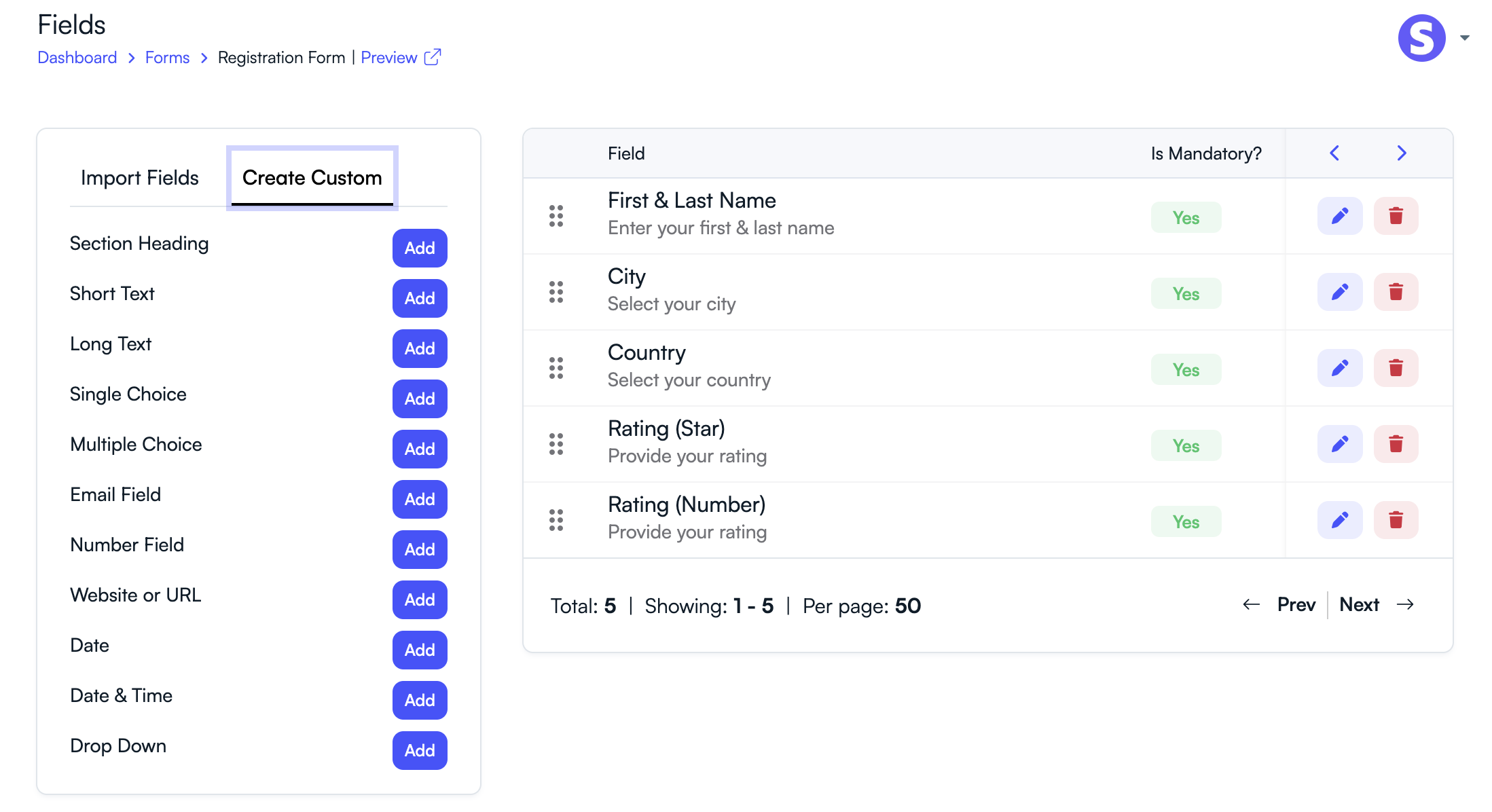
Step 2: Add a New Field
Once inside the form builder, you can add fields to your form.
- Click the Add Field button.
- Choose the type of field you want to add.
- Enter the field label and any required options.
- Save the field to add it to your form.
Common Field Types Available
PeerSubmit supports several input field types for collecting different kinds of information.
- Text Field – Used to collect short text responses such as names or affiliations.
- Textarea – Allows participants to provide longer responses or detailed feedback.
- Dropdown – Provides a list of predefined options for users to select.
- Checkbox – Allows participants to select multiple options.
- Radio Buttons – Allows users to select one option from multiple choices.
- Rating Field – Collects ratings such as satisfaction scores or feedback ratings.
- Date Field – Allows users to select a date using a calendar picker.
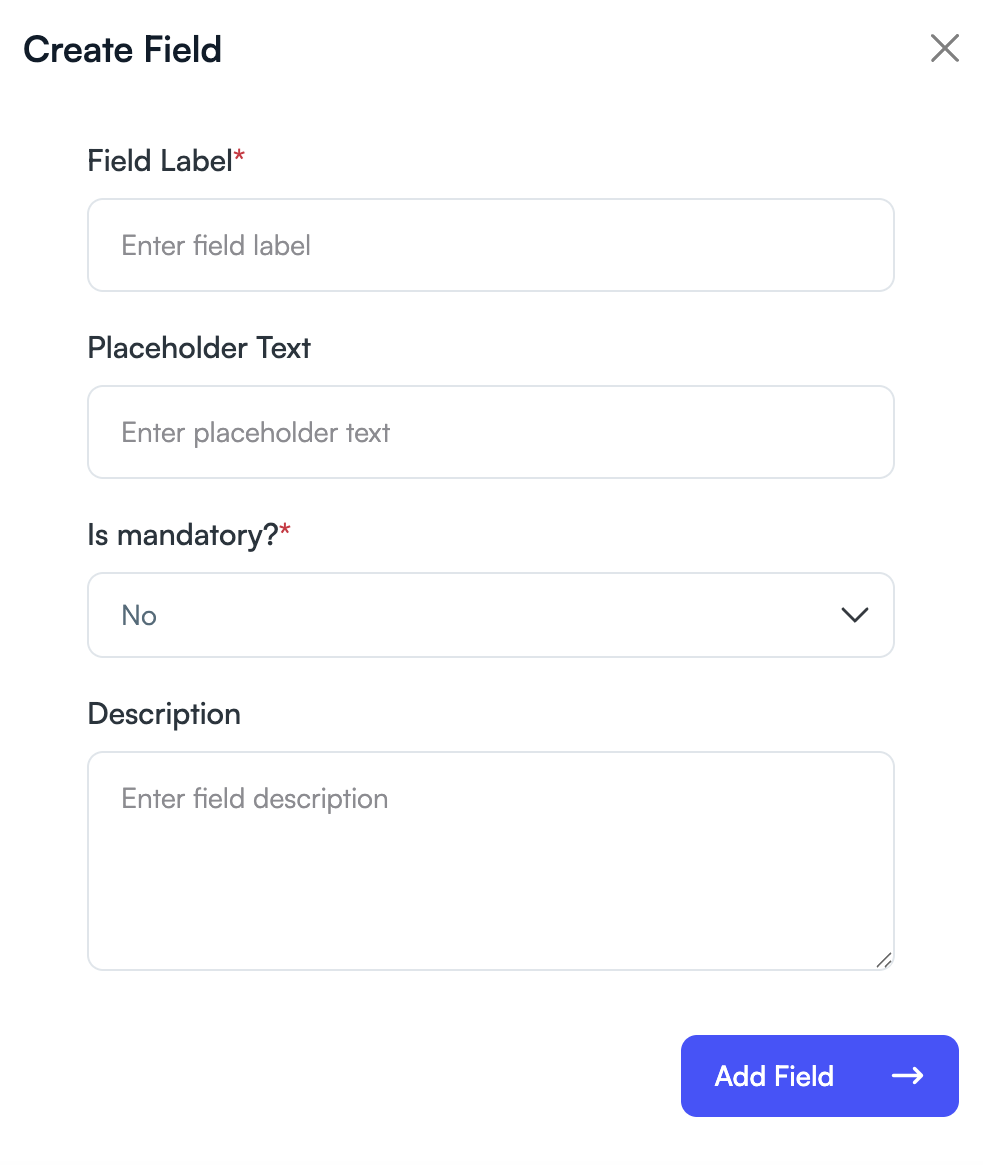
Step 3: Configure Field Settings
Each field can be customized to match your requirements.
- Set a Field Label to describe the question.
- Add placeholder text or instructions.
- Mark the field as Required if users must fill it.
- Add multiple options for dropdown, checkbox, or radio fields.
Step 4: Arrange Form Fields
You can organize your form fields to improve the user experience.
- Drag and drop fields to reorder them.
- Group related fields together.
- Remove fields that are no longer needed.
By adding and organizing fields properly, organizers can create clear and structured forms that collect accurate information from participants.
Related Articles
Start Running Your Conference—From Submission to Decision
Join hundreds of organizers who trust PeerSubmit to manage their academic events with AI-powered efficiency and seamless workflows.
No credit card required • Setup in minutes
Run Your Conference Without the Chaos
Manage submissions, peer review, registrations, and event workflows—all in one platform built for academic conferences.
Join hundreds of academic conferences already using PeerSubmitNo credit card required • Setup in minutes