How to Create a Call for Papers (CFP) in PeerSubmit

Paige Watson
Updated on 10 March 2026A Call for Papers (CFP) invites researchers and authors to submit their work for review and presentation at your conference. PeerSubmit provides a complete workflow for configuring submissions, defining review criteria, organizing tracks, and assigning reviewers.
Once your conference is created, you can configure the CFP from the CFP Settings section inside the conference dashboard.
Open CFP Settings
To start creating your Call for Papers:
- Open your conference from the dashboard.
- Go to Call for Submissions.
- Click CFP Settings from the left sidebar.
This section allows you to configure every part of the submission and review process.
Configure Submission & Review Settings
Submission Settings define when authors can submit their work and how the review process will be conducted.
- Submission Start Date – When authors can begin submitting papers.
- Submission End Date – The deadline for paper submissions.
- Review Deadline – Final date for reviewers to complete evaluations.
- Assignment Mode – Choose AI-powered reviewer recommendations or manual reviewer selection.
- Blindness Settings – Configure Single-Blind, Double-Blind, or Open review.
- Submission Limit – Maximum number of papers allowed for the conference.

Create Tracks and Topics
Tracks help organize submissions into research categories so that papers can be reviewed by experts in the relevant field.
- Go to Tracks & Topics.
- Click Create Track.
- Add track name and related research topics.
Examples of tracks may include Artificial Intelligence, Data Science, Robotics, or Sustainable Technologies.

Configure Submission Forms
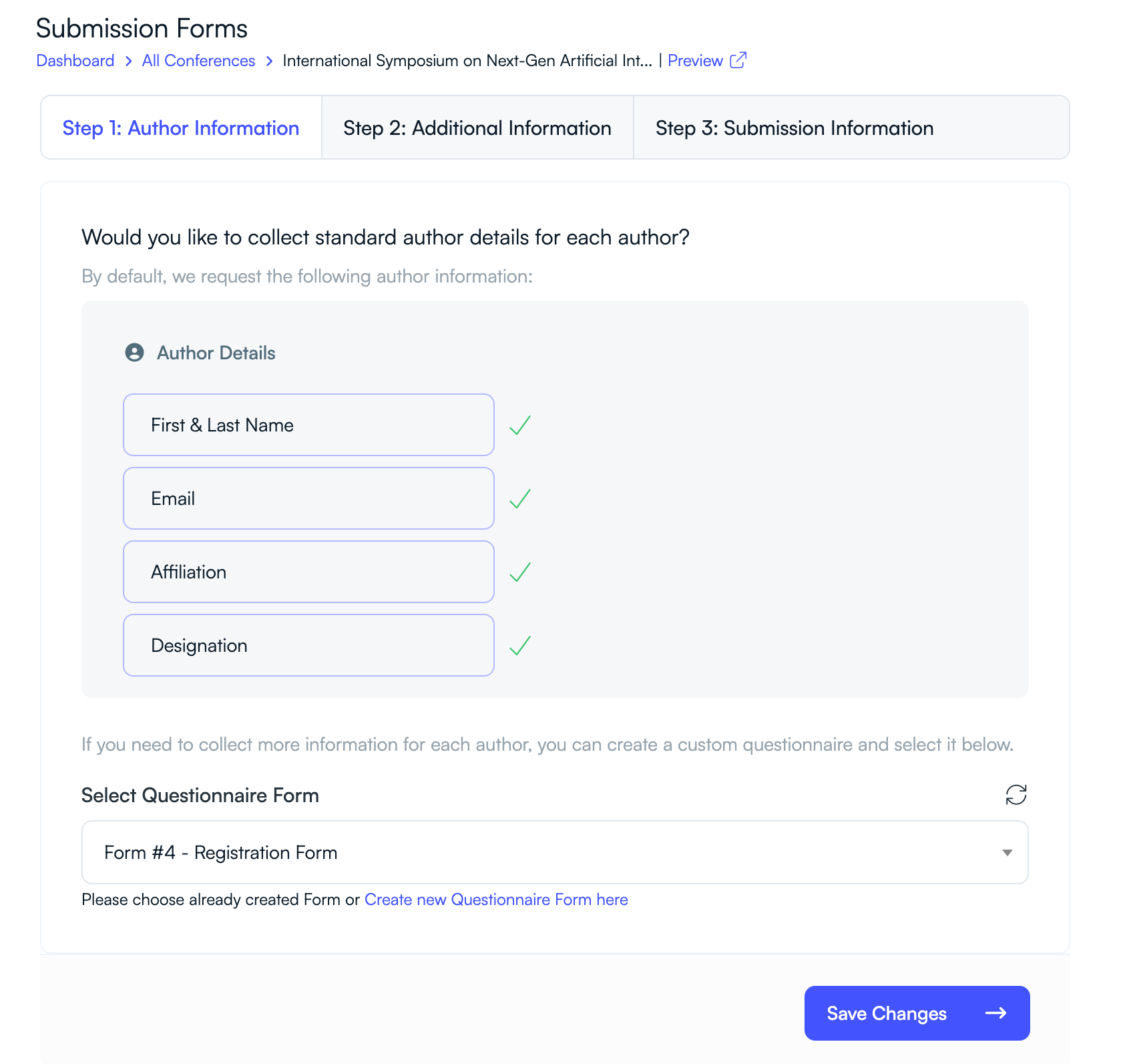
Submission forms determine what information authors must provide when submitting their papers. PeerSubmit divides this into multiple steps.
Step 1: Author Information
- Author name
- Affiliation
- Designation
Step 2: Additional Information
You can collect additional details using custom questionnaire forms if needed.
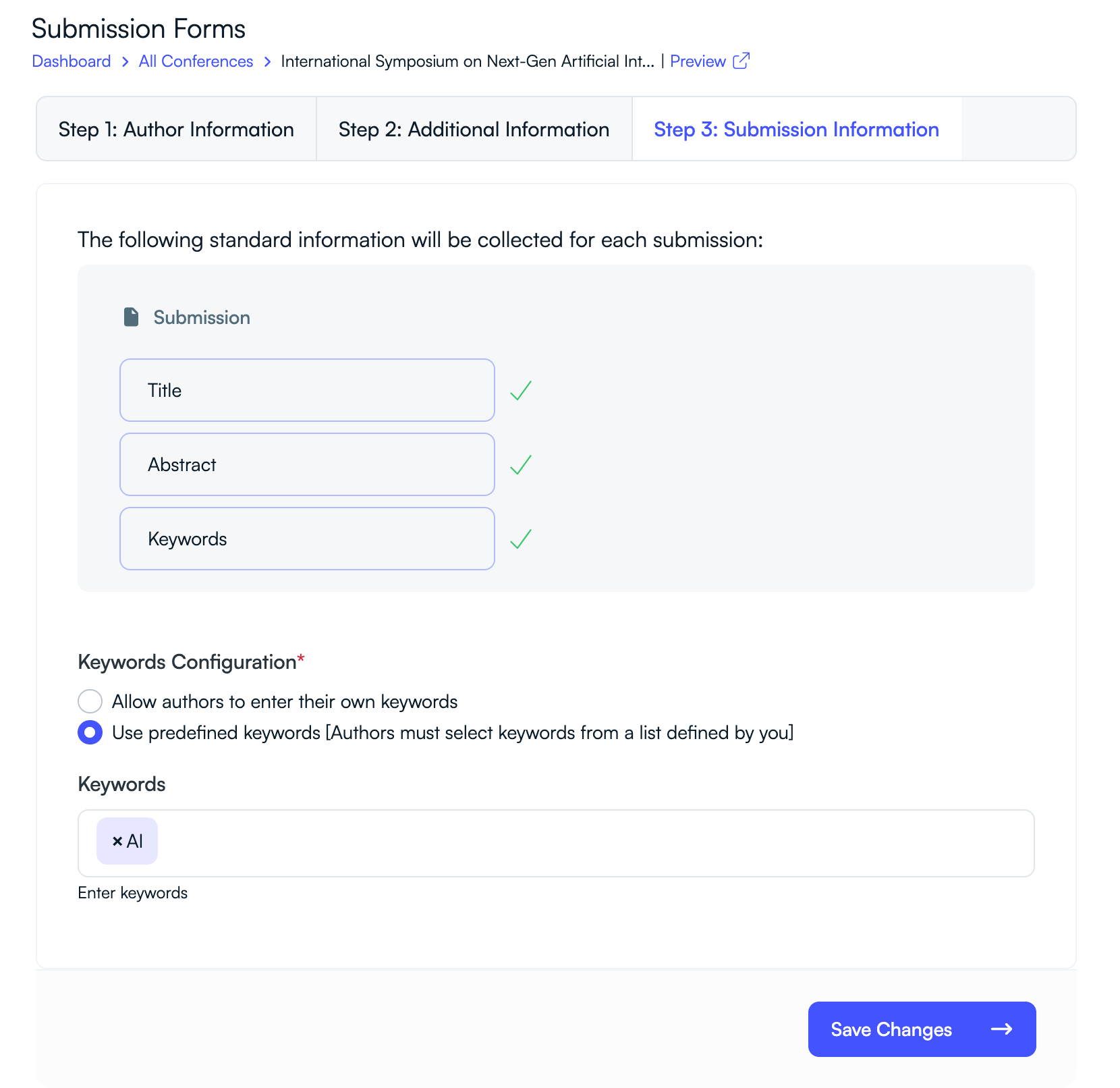
Step 3: Submission Information
- Paper title
- Abstract
- Keywords
You can allow authors to enter their own keywords or select from predefined keywords created by the organizer.
Create Evaluation Forms
Evaluation forms define how reviewers assess submitted papers.
Review Form
- Overall rating
- Confidential comments to the program chair
- Comments to the author
- Additional notes or justification
Decision Forms
PeerSubmit also allows you to configure separate forms for acceptance and rejection decisions. These forms collect final comments and decision notes from the program committee.


Assign Program Chairs and Reviewers
To manage the review process effectively, assign program chairs and reviewers.
- Add Program Chairs to oversee the review workflow.
- Add Reviewers who will evaluate submitted papers.
- Define reviewer expertise areas to improve reviewer assignment.
PeerSubmit also supports AI-assisted reviewer recommendations based on paper topics and reviewer expertise.
Publish Your Call for Papers
Once all settings are configured, your Call for Papers is ready to accept submissions.
- Verify submission and review deadlines.
- Ensure tracks and topics are properly defined.
- Share the conference submission link with authors.
Authors can now submit their research papers through the PeerSubmit submission portal.
Related Articles
Start Running Your Conference—From Submission to Decision
Join hundreds of organizers who trust PeerSubmit to manage their academic events with AI-powered efficiency and seamless workflows.
No credit card required • Setup in minutes
Run Your Conference Without the Chaos
Manage submissions, peer review, registrations, and event workflows—all in one platform built for academic conferences.
Join hundreds of academic conferences already using PeerSubmitNo credit card required • Setup in minutes